The factory drill settings are:
1. Flat
2. Top Spin
3. Back Spin
4. Backhand
5. Forehand
6. Narrow 2-Line
7. Wide 2-Line
8. Lob
9. Net to Baseline
10. Random Horizontal
11. Random Height
12. Full Random
Editing Custom Drills
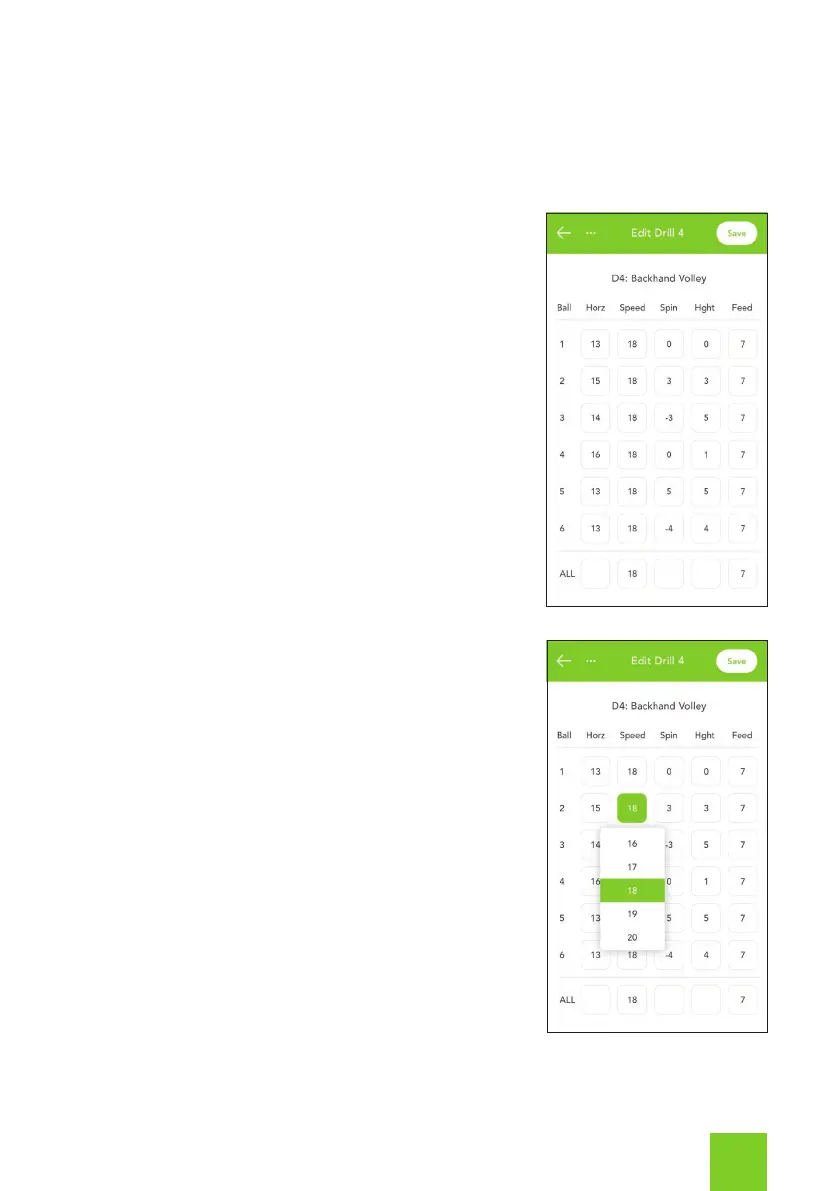
To edit a custom drill long press on the drill
number you want to edit. The drill edit screen will
open and the settings for the corresponding drill
will be displayed.
You can edit the name (i.e Backhand Volley) at the
top of the screen.
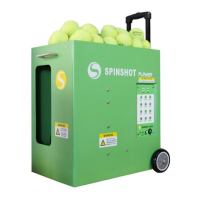
The custom drills play six sequential shots
which you can adjust the settings for horizontal
placement, speed, spin, height and feed rate.
Horz
Set the ball’s horizontal angel from 1 to 20, 1
being a far left backhand and a 20 being a far
right forehand for a right handed player. When
you set Horz value to ‘R’, the machine will throw
balls in a random horizontal direction.
Spin
Set a negative value to produce backspin or slice,
or a positive value to create topspin. A setting of
0 will serve a at shot. Spin ranges from -9 (max
backspin) to 9 (max topspin).
A high level of either topspin or backspin will slow the ball speed. To
increase ball speed reduce the amount of spin on the ball.
11


 To Next Page