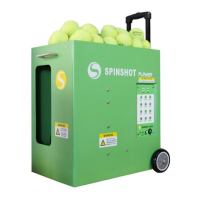
Manual Settings
SPEED BUTTON
To adjust the speed of the ball, press the SPEED button then press the
UP or DOWN buttons to adjust the speed level. The speed setting will be
displayed on the LCD screen. Speed ranges between 1 - 20.
It is possible to adjust the SPEED value while the machine is playing and it
will take effect immediately.
In all vertical oscillation modes, clicking the SPEED button a second time will
set the speed level for the second height level (h2 level).
FEED BUTTON
To adjust the feed rate of the ball, press the FEED button then press the UP
or DOWN buttons to adjust the feed rate. The feed setting will be displayed
on the LCD screen. Feed rate ranges between 1 - 10. At the rate of 10 a ball
will be fed at a rate of one ball per second.
SPIN BUTTON
To adjust the spin of the ball, press the SPIN button then press the UP or
DOWN buttons to adjust the spin level.
Select a negative value to produce backspin or slice, or a positive value to
create topspin. A setting of 0 will serve a at shot. Spin ranges from -9 (max
backspin) to 9 (max topspin).
A high level of either topspin or backspin will slow the ball speed. To
increase ball speed reduce the amount of spin on the ball.
It is possible to adjust the SPIN value while the machine is playing and it will
take effect immediately.
HEIGHT BUTTON
To adjust the height (trajectory) of the ball, press the HEIGHT button then
press the UP or DOWN buttons to adjust the height level.
The height setting will control the ball height when the machine is not
running in the vertical oscillation mode. The height setting will be displayed
on the LCD screen. The highest level is 50 and lowest level is 1.
In the vertical oscillation modes use the h1-h2 button to adjust the height
oscillation range. Please see the h1-h2 section for adjusting this setting.
4


 To Next Page