Tsupport@itwcp.co.uk
www.itwcp.co.uk
Technical Helpline UK: 0800 731 4924
Technical Helpline ROI: 1 800 882 388
Pulsa Operator Guide
Consumables
Battery The battery will discharge itself even if the tool is
not being used. Remove the battery when not in
use or put in safe position. Recharge the battery if
it has not been used for a long period of time.
Batteries are supplied uncharged. Fully charge them before
using them for the first time. Only use SPIT batteries and
battery chargers.
Wait until the battery has completely drained before
recharging it.
When the battery has been charged (approx. 1 hour),
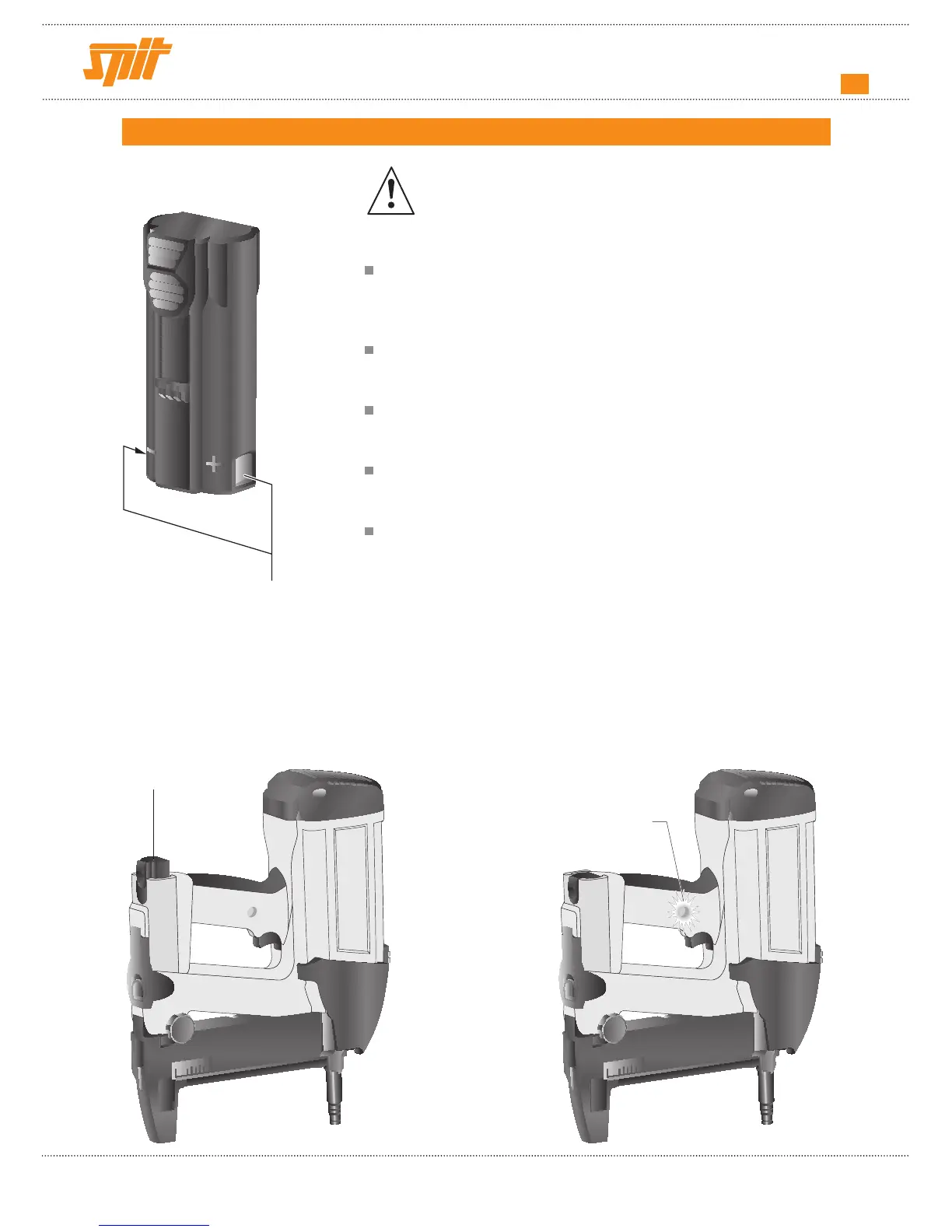
insert it into the tool (contacts toward front).
After use, remove the battery or place it in safe position
(see drawing below).
An LED control light is located on the right-hand side of the
handle. After installing the battery: :
• the indicator flashes green: the tool is powered by the
battery
• the indicator flashes red: recharge the battery.
• the indicator is green the roller is pushed in, the
fan is
turning, the tool is
ready to fire.
• the indicator is red: the roller is pushed in, the
fan is not turning, recharge
the battery.
LED
Battery in safe
position
Contacts
Consumables
Battery The battery will discharge itself even if the tool is
not being used. Remove the battery when not in
use or put in safe position. Recharge the battery if
it has not been used for a long period of time.
Batteries are supplied uncharged. Fully charge them before
using them for the first time. Only use SPIT batteries and
battery chargers.
Wait until the battery has completely drained before
recharging it.
When the battery has been charged (approx. 1 hour),
insert it into the tool (contacts toward front).
After use, remove the battery or place it in safe position
(see drawing below).
An LED control light is located on the right-hand side of the
handle. After installing the battery: :
• the indicator flashes green: the tool is powered by the
battery
• the indicator flashes red: recharge the battery.
• the indicator is green the roller is pushed in, the
fan is
turning, the tool is
ready to fire.
• the indicator is red: the roller is pushed in, the
fan is not turning, recharge
the battery.
LED
Battery in safe
position
Contacts


 To Next Page