8
7
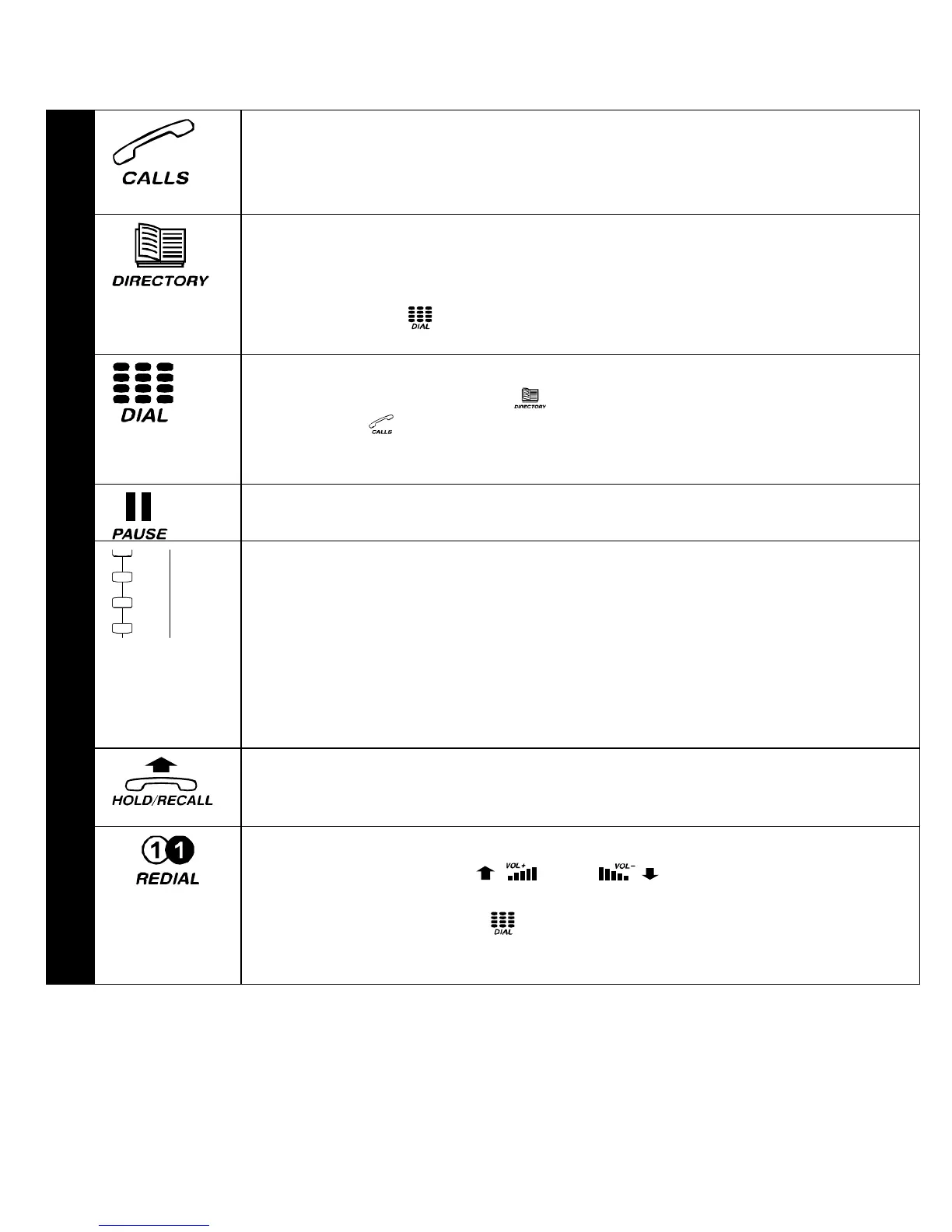
Pressing this button will bring the calls information on the display
and, at the same time, cause the LED to stop flashing and reset
the NEW CALLS counter to 0.
8
You can store up to 100 telephone numbers and names in your
personal directory.
Use this button to access a memory; a call can be made by
pressing the button.
9
Use this button to dial a number on the display. This can be a
call from your Directory or an incoming call stored in the Call
memory or one of the calls in the Last Number Redial
memory.
10
Press this button to insert a pause.
11
The Direct Access memory buttons have been pre-programmed
with the 10 most frequently used maximiser System Access
Codes. These are accessed via the one-touch memory buttons.
A further 10 memory locations have been provided and can
each be programmed with a maximum of 32 digits and 16 alpha
characters. These can be accessed by pressing the memory
keys twice. (see detailed instruction on page 20)
12
Press this key during a call to place it on hold. This will enable
you to transfer the call to another party.
13
Press this button to redial the last number you dialled from the
keypad. Using the and buttons, you can scroll
through the last five numbers you dialled. To call any of the
numbers press the button when the correct number is
displayed on the screen.



 To Next Page