IP network waterproof column speaker User Manual
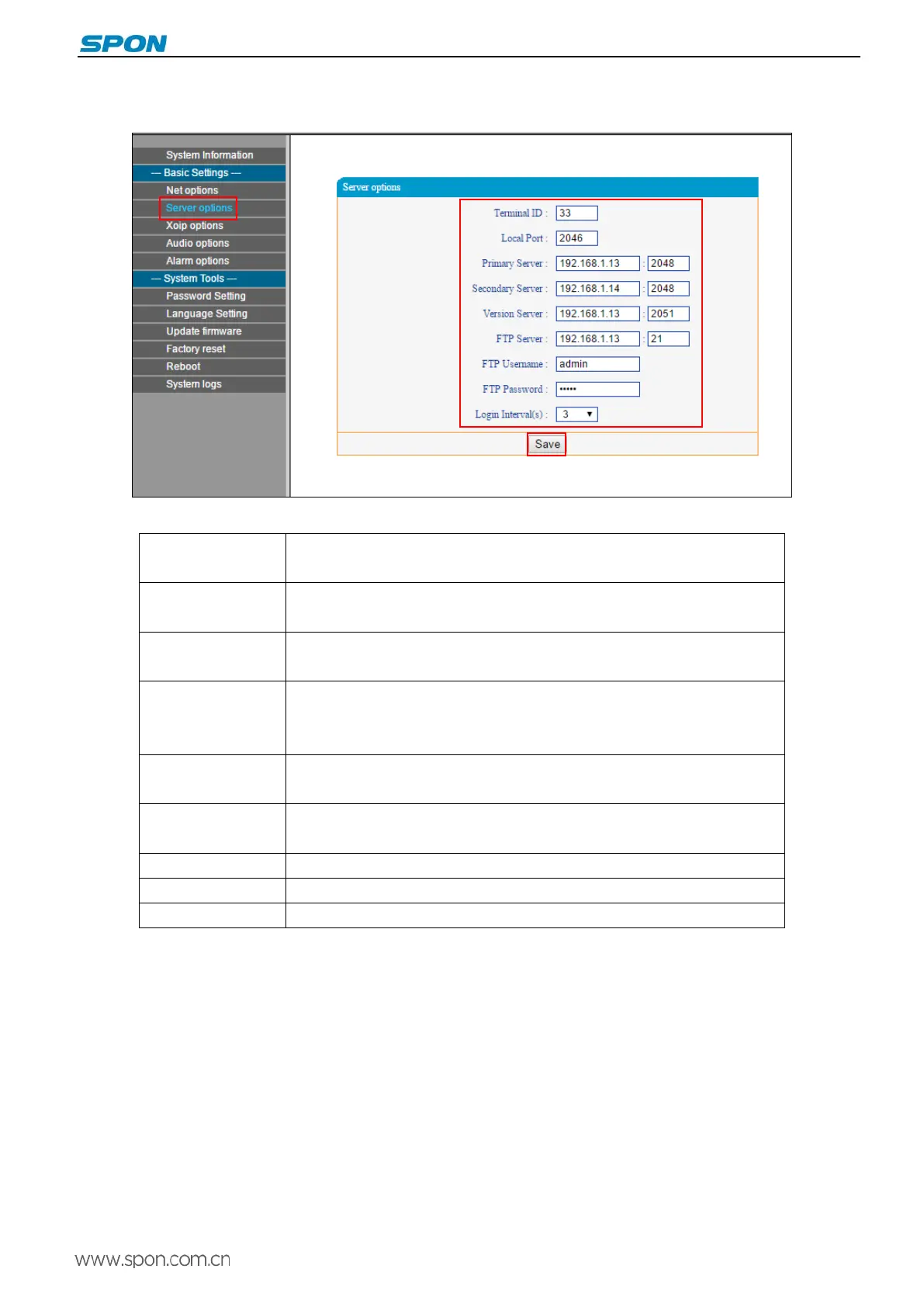
Server Parameters
Parameters as following:
Terminal ID The only Number to identify terminal, it can`t repeat with other device or hosts,
the factory default is 1.
Local port
The terminal port .Note: can’t modify otherwise special situation of terminal
(default is 2046).
Preferred DNS
server
Server address of terminal login, factory default is 192.168.1.13.
Alternate DNS
server
Login alternate DNS server, when the preferred DNS server can not be
connected. When preferred DNS server can be connected, terminal relogin
the preferred server.
Version Server
Version server IP, connecting version server to automatically upgrade program
when terminal restart.
FPT server
File server IP, download the pointed files by FTP server to built-in memory via
FTP.
FTP User name User name of login FTP server.
FTP password Password of login FTP server.
Login interval(s) Interval of login FTP server.
8



 To Next Page