IP network waterproof column speaker User Manual
Note: 1. If use Win7 system operating, please taking the administrator mode to run and close all the firewall and
related software.
2.The terminal scanning tools can only set the network parameter configuration to one terminal at one time,
so please ensure one computer only connect with the one target terminal when using this ways.
Webpage Mode
Enter into the IP network waterproof loudspeaker column interface, then modify the terminal each parameters according to
the environment, after setting completed, click “save”.
Specific operation please refer to the custom terminal network parameters setting.
User-define Terminal Parameters
Login Web interface
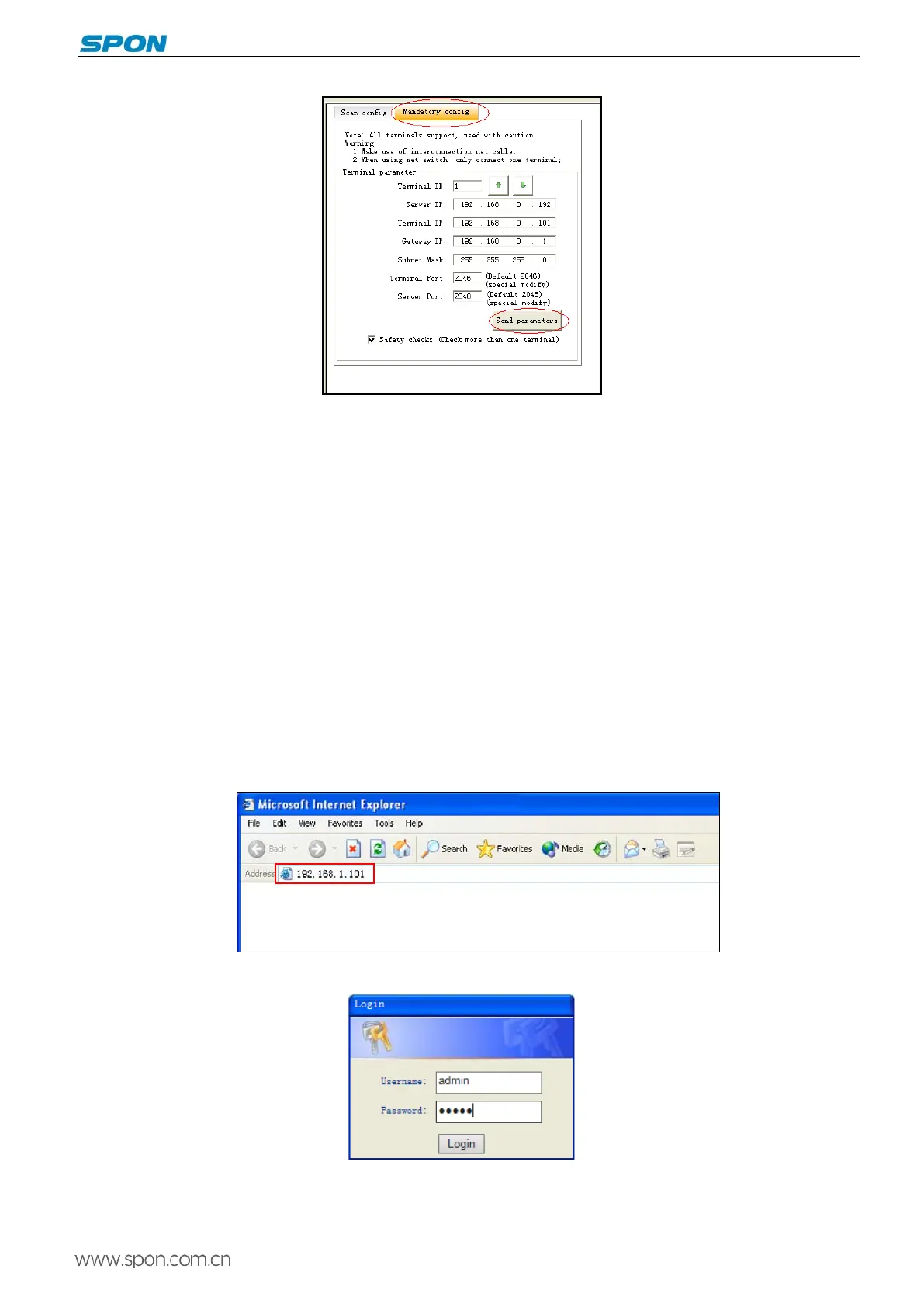
(1)Please input the IP network waterproof loudspeaker column IP address to the browser address column (the factory
default IP address is 192.168.1.101), then enter.
(2)Enter the user name and password in the web page (the default user name and password is admin).
(3)Click OK to enter terminal web page.
6



 To Next Page