IP network waterproof column speaker User Manual
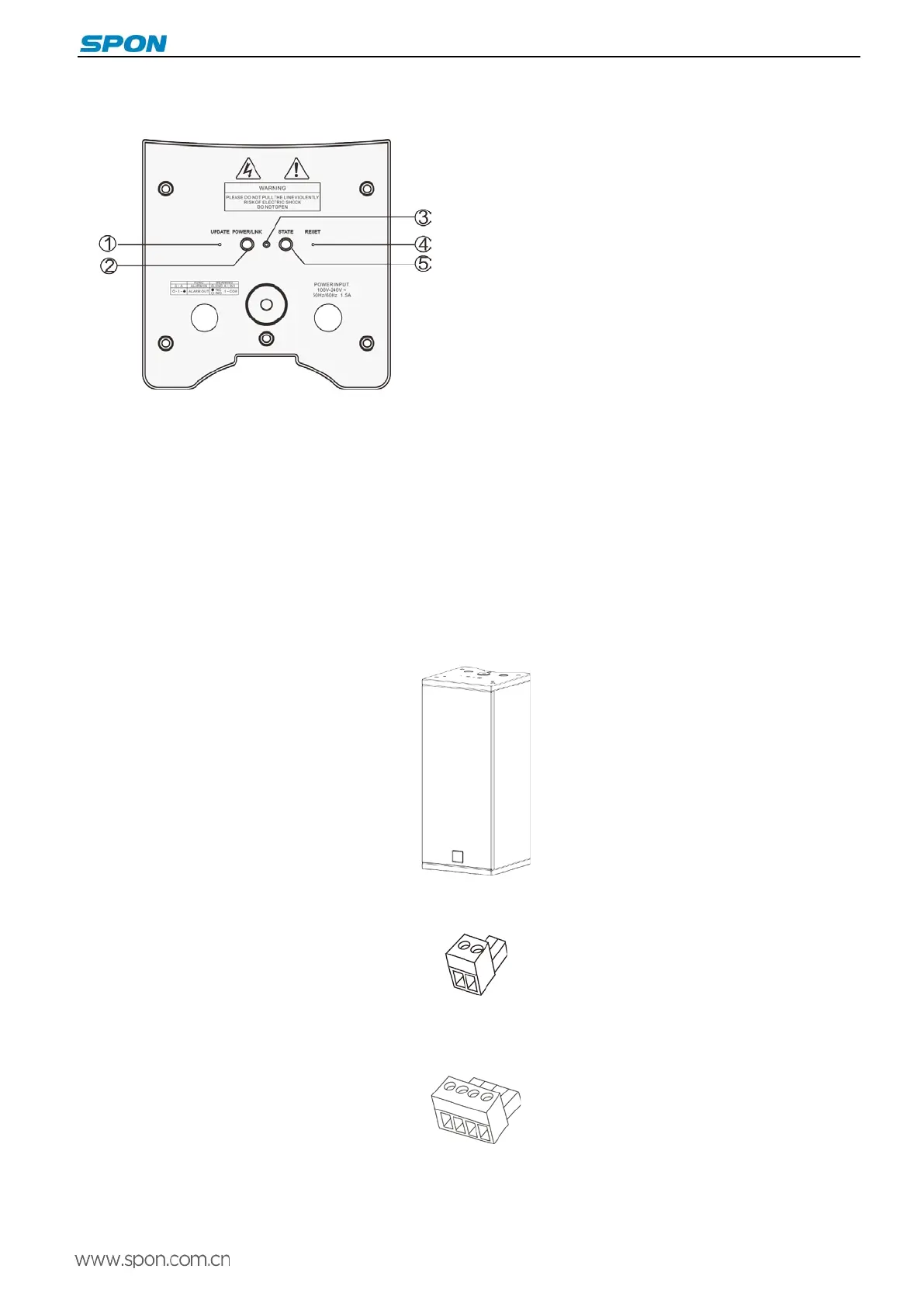
Back view
①Mandatory upgrade key
Use tweezers
or small pin to press the button and
connect the power about 5 seconds, it
terminal to upgrade status.
② Power and network indicator light
After connected the power, if internet is connect, the
green light is on; If offline, the red light is ON.
③Microphone
④Reset button
⑤Status indicator light
Offline: red light slowly flashes.
Online: green light normally ON.
Receive broadcast task: green light quickly flashes.
Introduction
Packing List
IP network waterproof loudspeaker column including the following parts, please check all the parts before the installation, if
any missing, please contact your supplier.
(1)IP network waterproof column speaker 1 pcs
(2)Wiring port(3.81-2P) 1 pcs
(3)Wiring port (3.81-4P) 1 pcs
(4)Expansion screw (M8*100),with spring washer/big gasket/nut) 2 sets
3



 To Next Page