IP network waterproof column speaker User Manual
s
Network Parameters
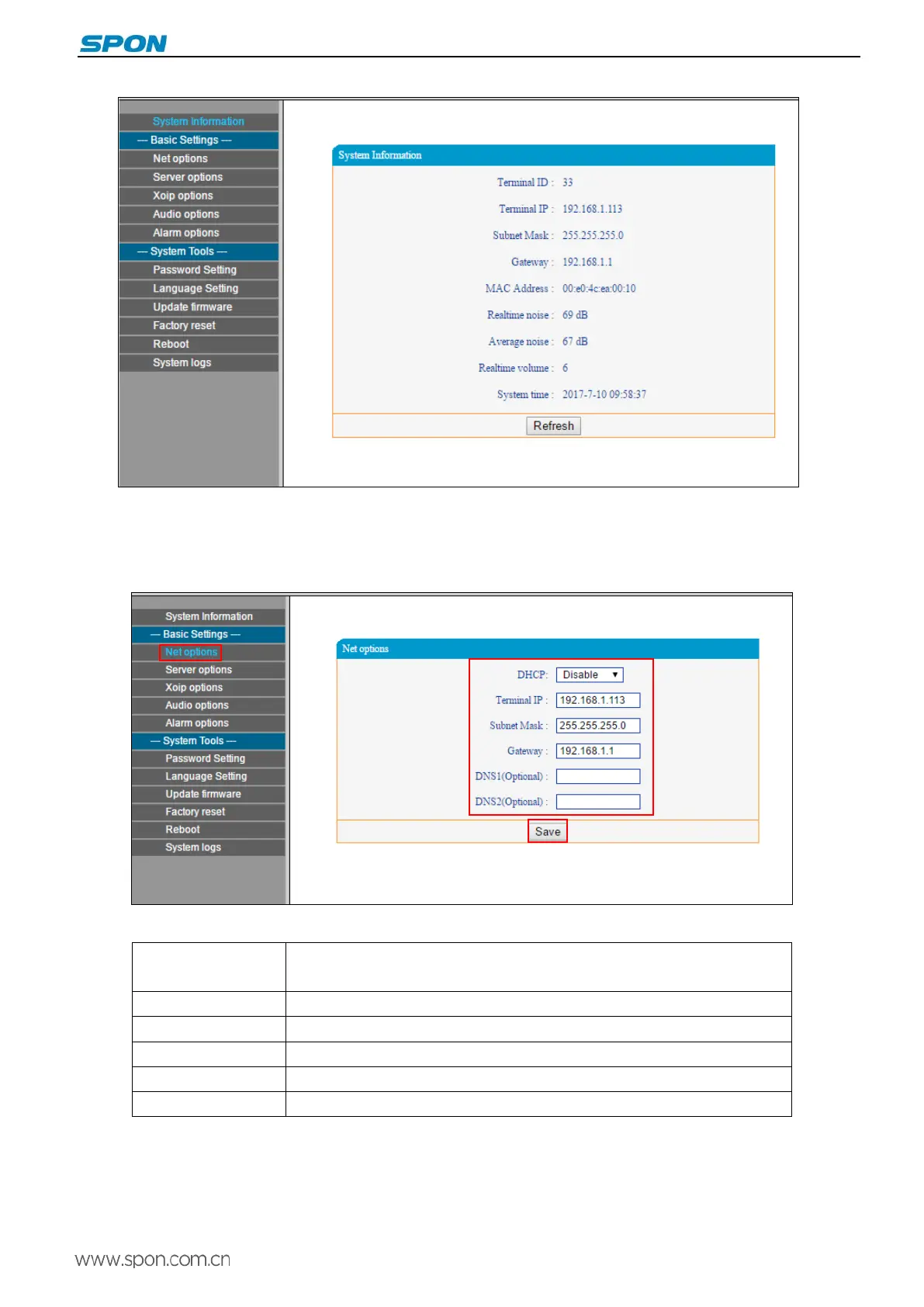
Click “Network parameters” enter into the basic settings and network parameters modification interface, you can modify
network parameters as the following picture shows, and then click save to finish network parameters settings.
Parameters as following:
DHCP
Enable: IP address automatically allocation by system.
Disable: using static IP
Terminal IP Terminal IP address and port, the factory default IP address is 192.168.1.101
Subnet mask The subnet mask of the terminal
Default gateway The network gateway of the terminal
Preferred DNS server The preferred domain name interpreter IP of terminal
Alternate DNS server The standby domain name interpreter IP of terminal
7



 To Next Page