29
Plug the main power cord in a grounded wall outlet, please make sure the power matched. Ensure the
‘Safety Key’ is in the correct position and inserted properly in the console.
POWER ON:
User can start a workout by pressing the „Quick Select“ button for either Speed or incline.
There are 4 „Quick Select“ buttons for both Speed and Incline – 3km/h to 12km/h for speed options
and 2% to 12% for Incline options.
You can use Quick Workout (the speed and incline) during your workout, press „START“ to beginning
your workout.
If you need to stop the treadmill during your workout, press „STOP“ or pull out the Safety Key.
QUICK WORKOUT:
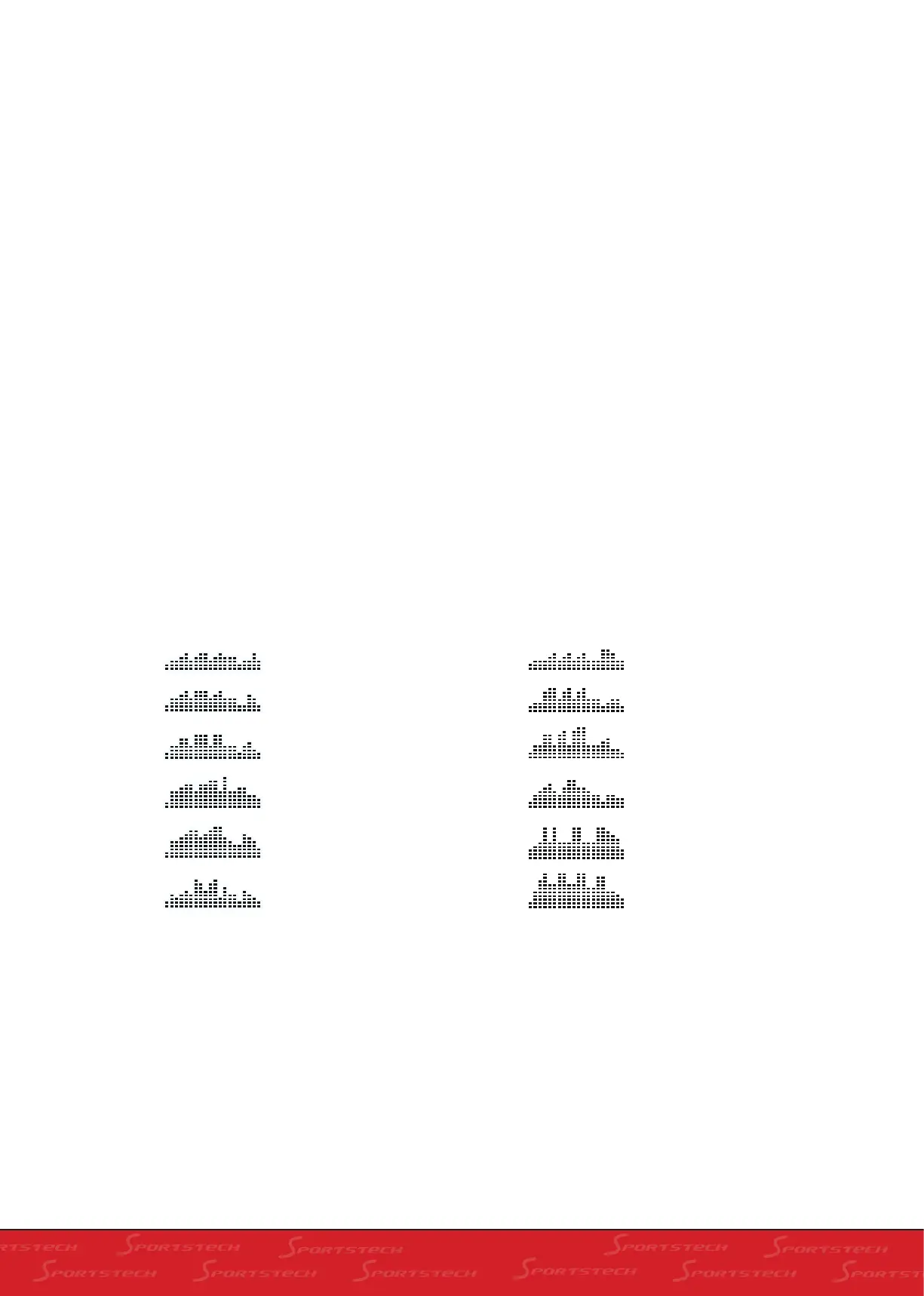
This treadmill console has 12 Preset Workout Programs to choose from (see below for breakdown of
each Program). When in PROGRAM mode, use PROGRAM button to select your chosen workout – P1
TO P12. Press START button to confirm and start your workout.
PROGRAM MODE:
P1 WARM-UP TIME GOAL
DISTANCE GOAL
CALORIES GOAL
MOUNTAIN CLIMB
BEACH SPORT
CROSS COUNTRY RACE
RANDOM
5K RUN
COMPETITION
WEIGHT-LOSS
HILL
P2
P3
P4
P5
P6
P7
P8
P9
P10
P11
P12



 To Next Page