8 9
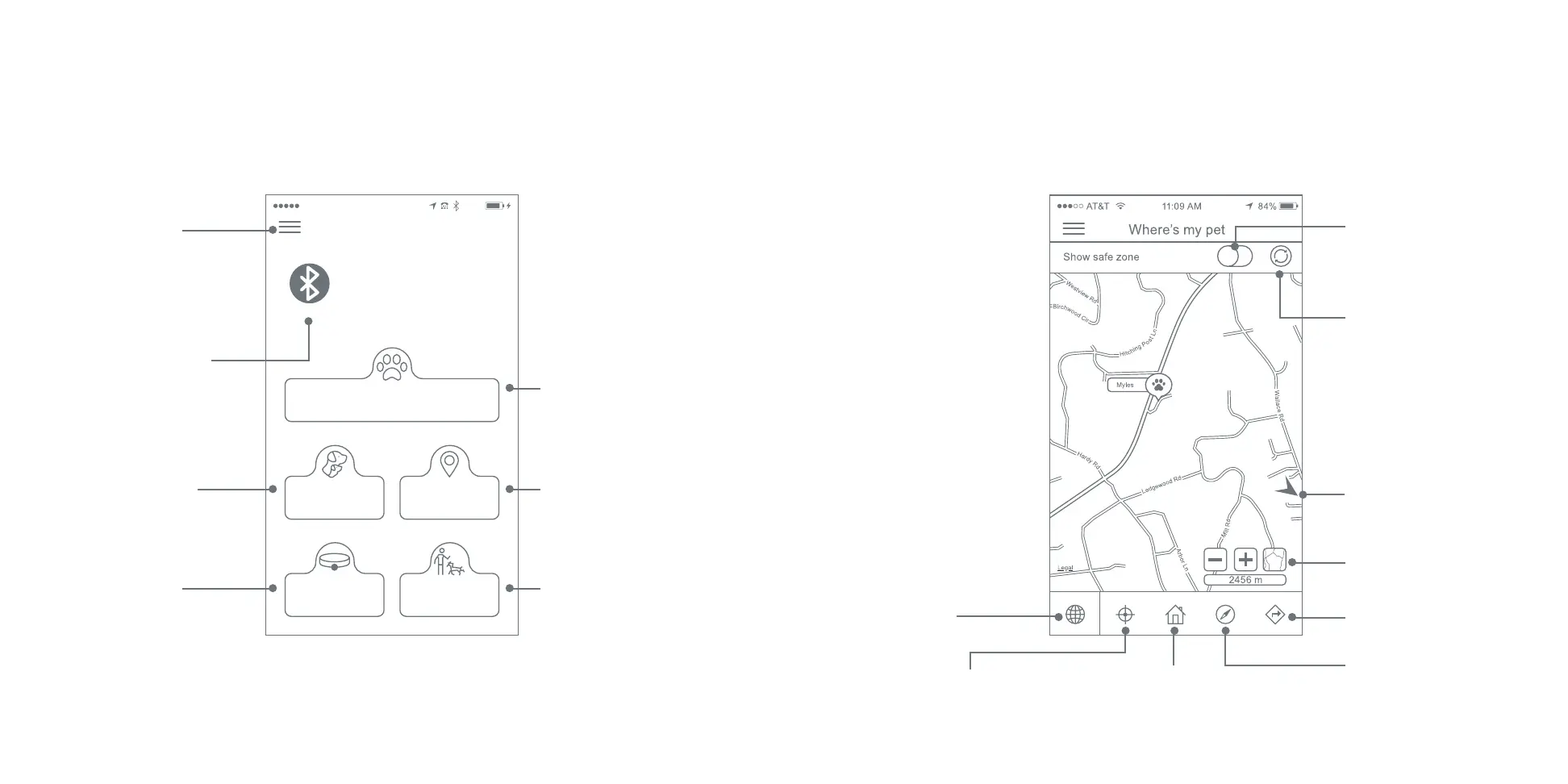
Where’s my Pet
My Pets
Register Collar Training
Manage My Maps
VerizonL TE 3:15 PM7 7%
Home
STEP 4: GETTING STARTED WITH THE APP
Instantly locate your pet
and also access the tracking
features.
Tap to pair your phone to
your collar. Required for
using training feature in
the app.
Access Menu:
Home
Notifications
Account Settings
Support
About SpotOn
Logout
Name, activate, arrange and
delete maps
Manage and edit pet
information, and
monitor collar status.
Train your dog and adjust the
static correction level.
Register additional
collars.
Additional information about these menu
options can be found at SpotOnCollar.com
When you are logged into the SpotOn app, you will see the Home Screen, which has the following
options:
Once the collar has been turned on and is operating (see next page), selecting “Where’s my Pet” on
the home screen gives you the location of your pet(s).
Slide to view safe zone of
an activated Map
Refresh the location
information
Choose graphical mode or
satellite imagery
Get driving directions
to your pet
Track your pet using the
Compass mode (good for
off road or wooded areas)
Access the
Home screen
Track your pet by getting
a location status update
every 6 seconds
Access “Where’s
my Pet” / location
information refresh
If you zoom in, an off-
screen indicator tells you
where your other pets, if
any, are located


 To Next Page