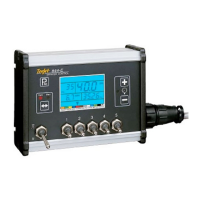
845 Sprayer Control System
INSTALLATIONAPPLICATION SETUP SYSTEM SETUPAPPENDIX INTRODUCTIONOPERATION
iii
98-05349-ENUS R0
Table of contents
IMPORTANT SAFETY INFORMATION VI
GENERAL WARNINGS AND PRECAUTIONS VI
CHAPTER 1 – INTRODUCTION 1
POWER 1
Power on the Console ...................................................................................................................................................................................1
Power Off the Console ..................................................................................................................................................................................1
Automatic Shutdown .................................................................................................................................................1
PROGRAM MENU GUIDELINES 2
Enter the Setup Modes .................................................................................................................................................................................2
Advance to the Next Option .......................................................................................................................................................................2
Edit a Setup Option ........................................................................................................................................................................................2
Exit the System Setup Mode .......................................................................................................................................................................2
CHAPTER 2 – INSTALLATION 3
MOUNTING THE TEEJET 845 CONSOLE 3
Console Step 1 - Location ............................................................................................................................................................................3
Console Step 2 - Mounting .........................................................................................................................................................................3
Console Step 3 - Power Connection ........................................................................................................................................................3
Console Step 4 - Connecting Component Cables ..............................................................................................................................4
CONNECTING THE TEEJET 845 CONSOLE 5
Connect Step 1 - Wiring Layout ................................................................................................................................................................. 5
Connect Step 2 - Making The Connection .............................................................................................................................................6
CHAPTER 3 – SYSTEM SETUP MODE 8
SYSTEM SETUP OVERVIEW 8
PROGRAM MENU GUIDELINES 8
Enter the System Setup Mode ...................................................................................................................................................................8
Advance to the Next Option .......................................................................................................................................................................8
Edit a Setup Option ........................................................................................................................................................................................8
Exit the System Setup Mode .......................................................................................................................................................................8
Save All Setting Values .................................................................................................................................................................................. 9
Restore All Setting Values ............................................................................................................................................................................9



 To Next Page