INSTALLATIONAPPLICATION SETUP SYSTEM SETUPAPPENDIX INTRODUCTION
25
845 Sprayer Control System
98-05349-ENUS R0
OPERATION
OPERATION FEATURES
Tank Level
The tank level menu is used to show and/or set the actual content
level in the tank. This level will decrease by the amount being
sprayed. If the minimum tank level has been set to a value greater
than zero and the actual level becomes less than the minimum
level, a tank alarm will be triggered. Setting minimum tank level to
zero will disable tank alarm function.
View Tank Level
The current tank level will be displayed.
1. Start from the work screen with the Master Switch “OFF”.
2. Press and release the PLUS button and MINUS button
simultaneously.
3. Press the PROGRAM button to exit to normal work screen.
Adjust Tank Level
Maximum Tank Size is set in System Setup menu, see Chapter 3
for information.
NOTE: Tank level cannot be set higher than the maximum level.
1. Start from the work screen with the Master Switch “OFF”.
2. Use the PLUS and MINUS buttons.
Or Press the MAN/AUTO button to reset tank level to
maximum.
3. Press the PROGRAM button to conrm the selection and
exit to normal work screen.
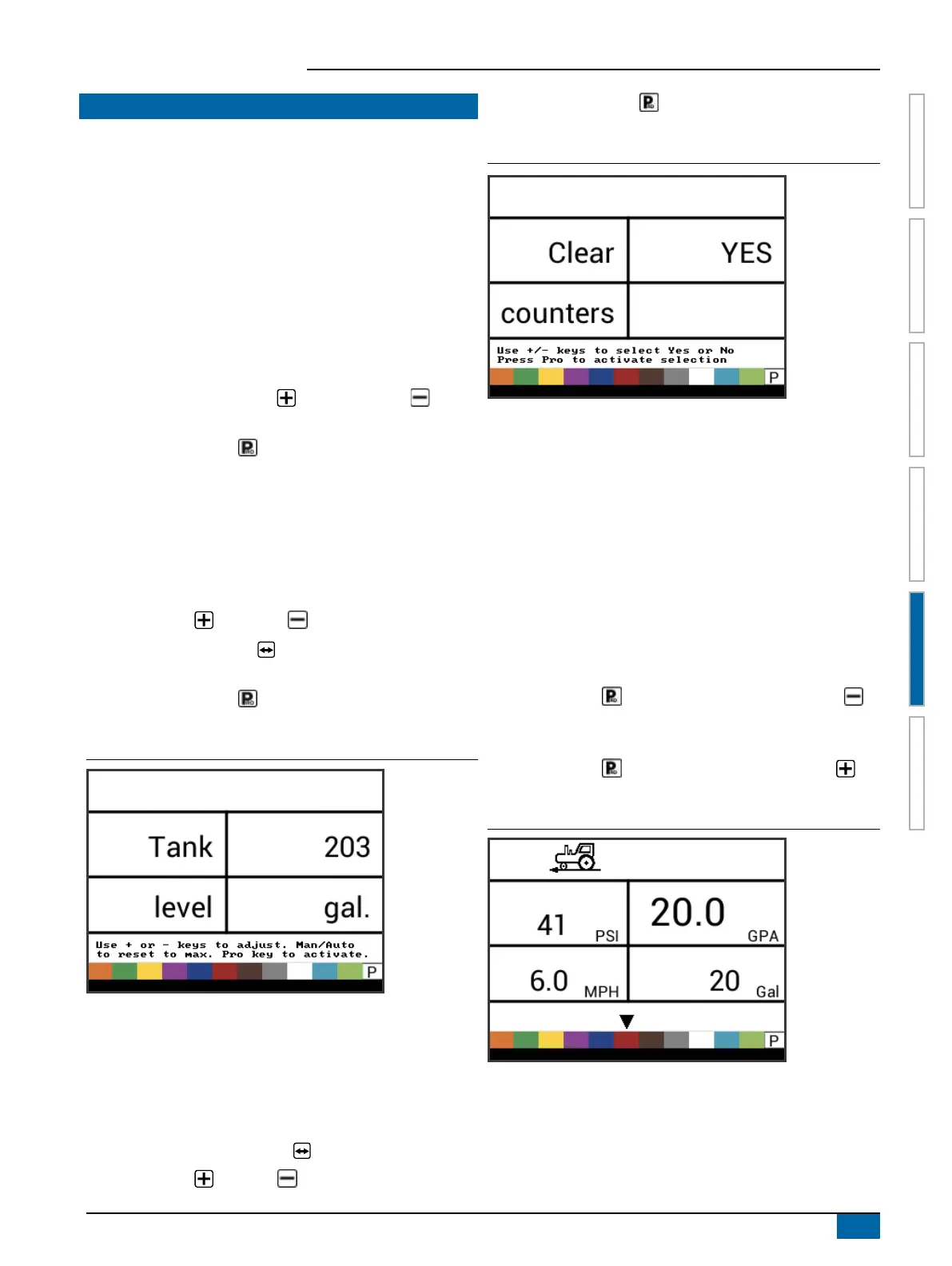
Figure 5-3: Tank Level
Clear Counters
The Clear counters menu is used to reset the total area, total
volume and total distance counters to zero.
To clear the counters:
1. Start from the work screen with the Master Switch “OFF”.
2. Press and hold the MAN/AUTO
button for 3 seconds.
3. Use the PLUS or MINUS buttons to select “YES”.
4. Press the PROGRAM button to conrm the selection and
exit to normal work screen.
Figure 5-4: Clear Counters
Simulated Speed
Simulated ground speed allows the verication of console functions
and the sprayer without actually moving the sprayer.
The console has a low and high simulated ground speed that
allows for switching between the two to simulate a speed change.
This will ensure that the console is regulating properly during
sprayer checkout.
Activate the Simulated Speed
While on the work screen without the machine in motion and the
Master Switch in the "On" position:
► Activate Low Simulated Speed – While pressing and holding
the PROGRAM button, press and release the MINUS
button. The controller will start regulation using this speed.
► Activate High Simulated Speed – While pressing and holding
the PROGRAM button, press and release the PLUS
button. The controller will start regulation using this speed.
Figure 5-5: Simulated Speed


 To Next Page