INSTALLATIONAPPLICATION SETUP SYSTEM SETUPAPPENDIX OPERATION
1
845 Sprayer Control System
98-05349-ENUS R0
INTRODUCTION
CHAPTER 1 – INTRODUCTION
Make sure that all hardware components are properly installed and tested. Before starting the programming process, conrm that the
console and all sensors are working properly.
IMPORTANT! Before beginning, review the following Program Guidelines that control the programming process
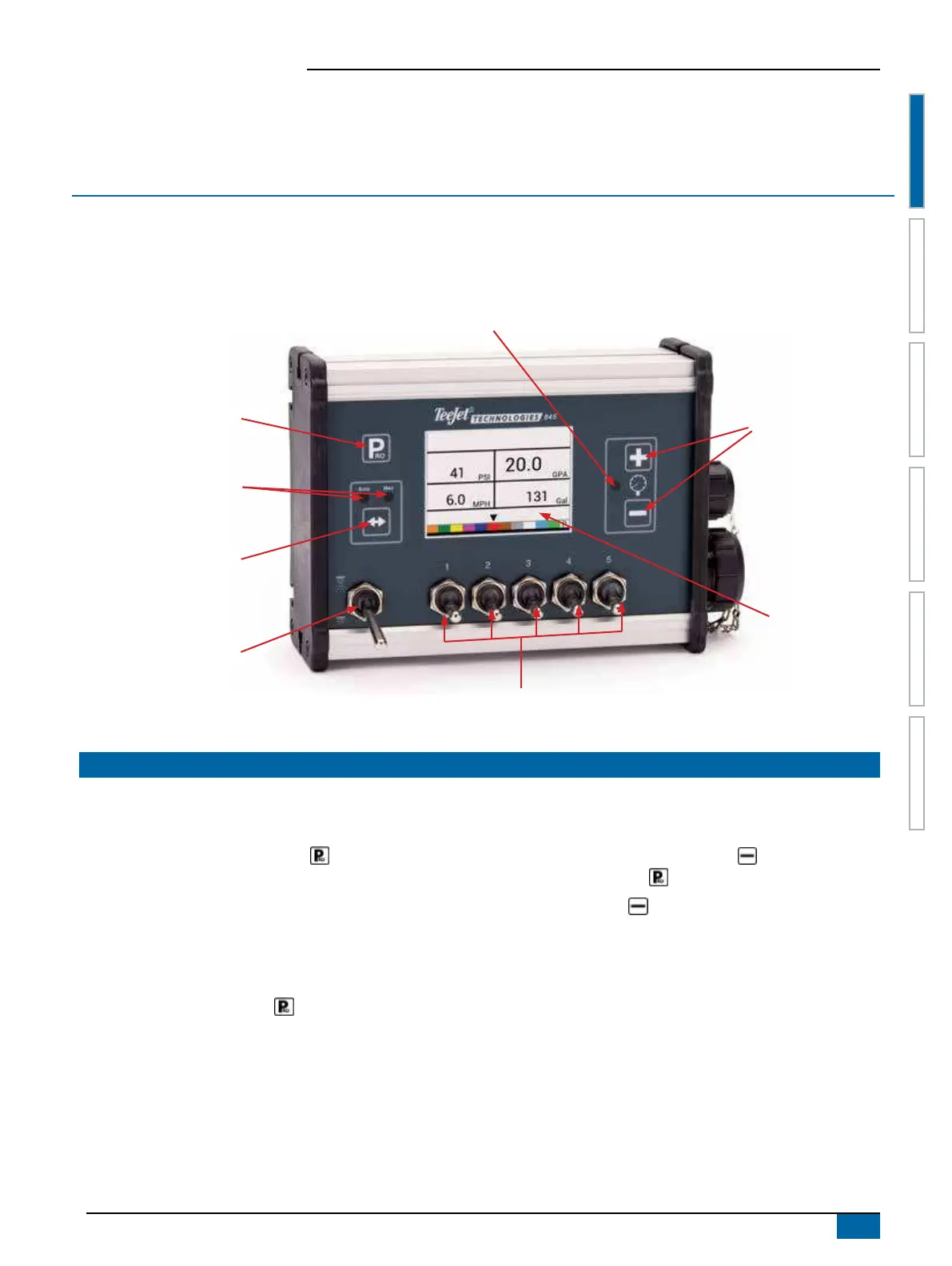
Program button
Plus and Minus buttons
Display
Master Switch
Auto/Manual button
Auto/Manual indicators
5 Switch Boom Section Control
Regulation Indicator
POWER
Power on the Console
To power on the console:
1. Press and release the PROGRAM button.
The console will initially display the software version at the top of
the screen and the serial number of the console at the bottom of
the screen.
After approximately 3 seconds, the console will enter the work
screen.
NOTE: Keeping the PROGRAM button pressed will keep the
start screen visible until released.
Power Off the Console
To power off the console:
1. While pressing and holding the MINUS button, press and
release the PROGRAM button.
2. Release the MINUS button.
The console will save new information (area and volume counters)
to memory before it powers down.
Pressing any key during the power off count down will cancel the
shut off function.
Automatic Shutdown
With the Master Switch in the “OFF” position, the console will
automatically shut down after 10 minutes of no inputs (or at the
time specied in the Auto Power Down setting in the OEM Setup
Mode).


 To Next Page