Set Alarm Time
Search for Outdoor Sensor
• Hold the SENSOR/SNOOZE button for 3 seconds to search for the
outdoor sensor.
• The tower icon will animate until the sensor signal is received or for
3 minutes if no signal available.
• IF the signal is lost, station will display the LAST DATA recorded for
10 minutes, after that 10 minutes if the signal does not come back
then the station will display dashes “--”.
• After 30 minutes, station starts looking for the sensor automatically.
Setting the alarm and activating the alarm are separate actions.
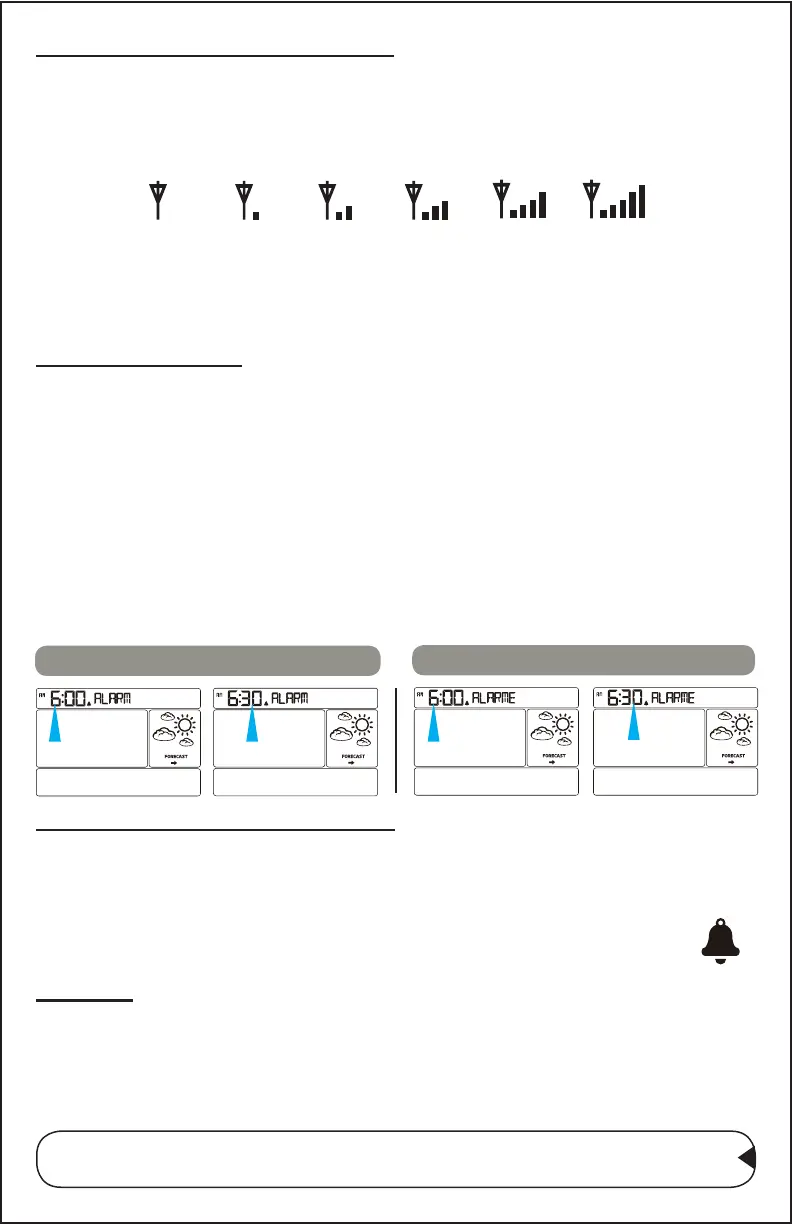
1. Hold the ALARM button for three seconds to enter alarm set
mode.
2. The Alarm Hour will ash.
3. Press the + or - buttons to adjust the hour.
4. Press the ALARM button to conrm and move to the minutes.
5. The Alarm Minutes will ash.
6. Press the + or - buttons to adjust the minutes.
7. Press the ALARM button to conrm and exit alarm settings.
Set Alarm Hour then Minutes
Set Alarm Hour then Minutes
Activate/Deactivate Alarm
• From normal time display press the ALARM to display the alarm
time, further press to release the ALARM button to activate or
deactivate the time alarm.
• When active the alarm bell icon will show.
• When not active the alarm bell icon will disappear.
Snooze
• When alarm sounds press the SNOOZE button to silence the alarm
for 10 minutes.
• The alarm bell icon will show and Zz will ash.
• Press any button except SNOOZE to stop the alarm for 1 day.
Note: Alarm is crescendo sound. When the alarm sounds, it
continues for 2 minute and then shuts off completely.
CA86514 Page | 8



 To Next Page