Option 3: Hardware Detection for Windows XP
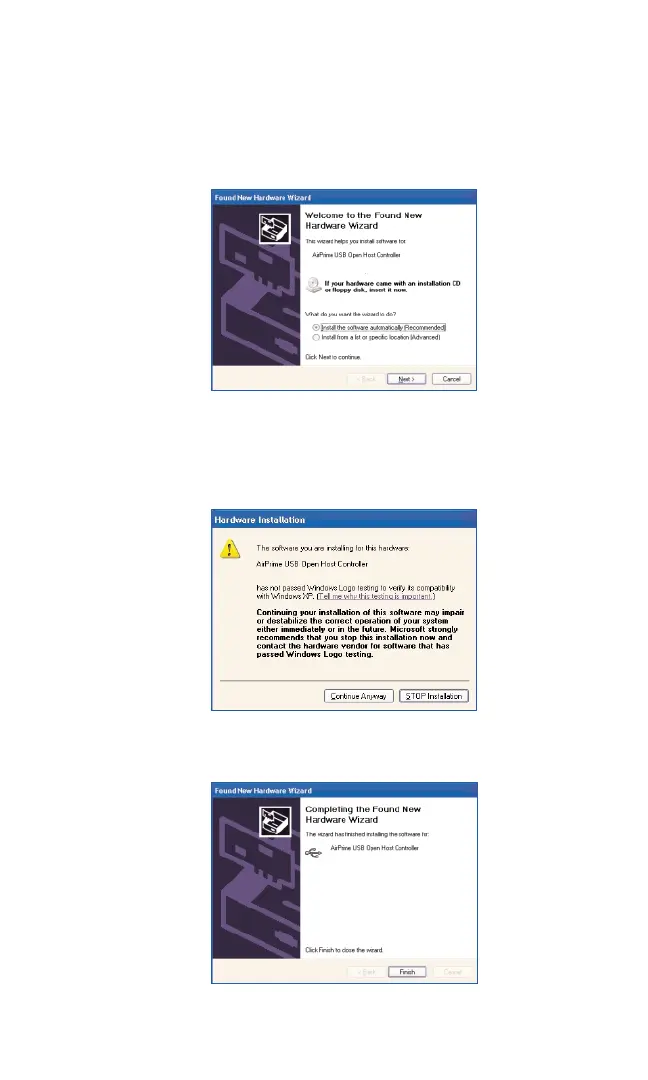
1. After inserting your PCS Connection Card into the PC Card slot, the
Found New Hardware Wizard will launch. Select the Install the
software automatically (recommended)
button. Click Nextto
continue.
2. Please disregard the “Windows logo” warning and click Continue
Anyway
to proceed with installation.
3. Click Finishto complete the installation.
Section 2: Installing the PCS Connection Card
24
2B: Installing Your PCS Connection Manager Software and PCS Connection Card
Part 1: Driver Installation



 To Next Page