22
© SPX
Form No. 1000528
Rev. 1 December 2, 2011
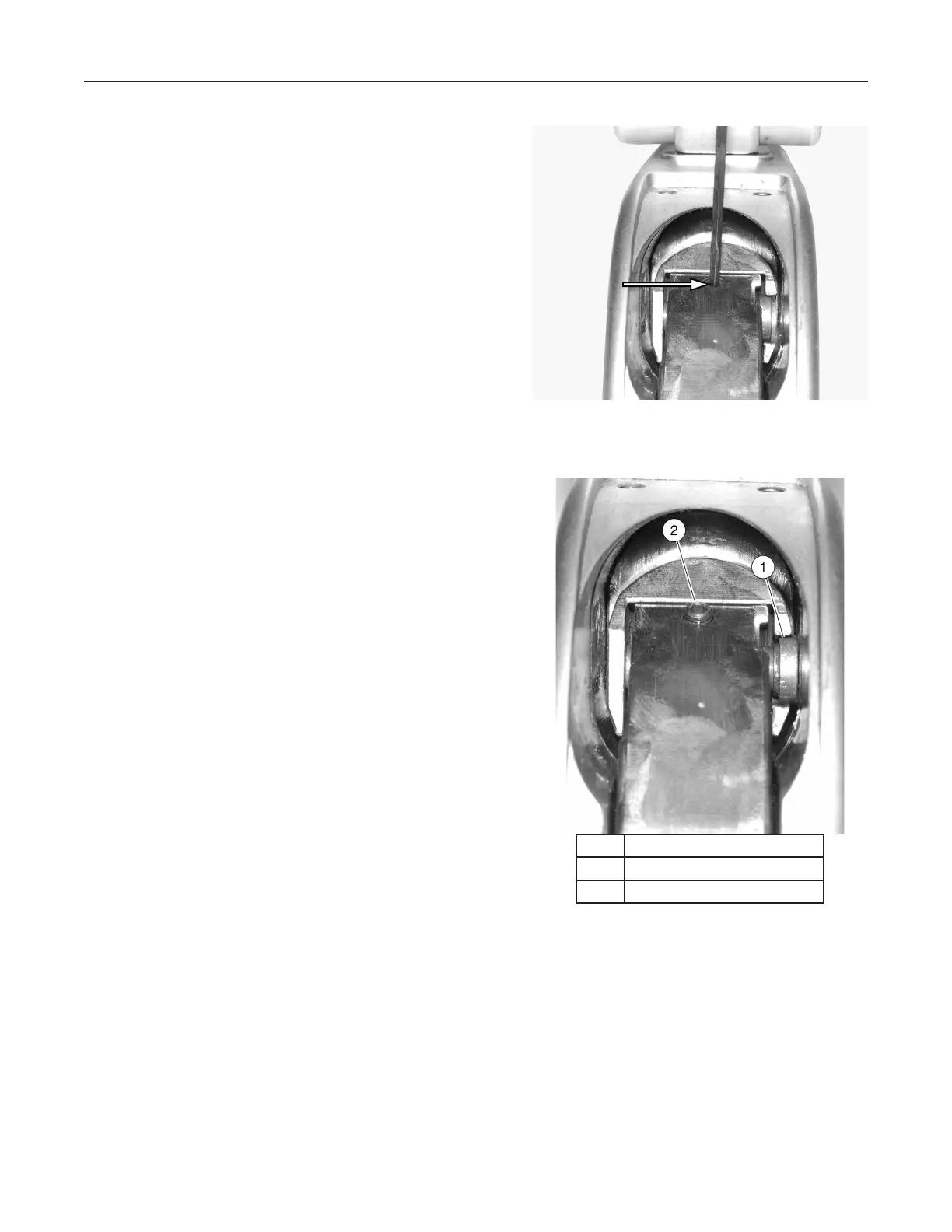
See Figure 9. Loosen but do not remove the crank 8.
pin retaining screw.
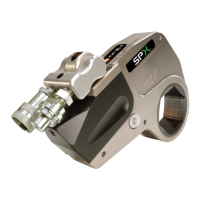
See Figure 10. Using a screwdriver, slide the crank 9.
pin out of the crank until it touches the shuttle bore.
Gently retighten the crank pin retaining screw to
hold the crank pin in the outward position.
Repair Procedures continued
Figure 9. Crank Pin Retaining
Screw
Item Description
1 Crank pin
2 Crank pin retaining screw
Figure 10. Crank Pin Adjustment


 To Next Page