23
Drop Bar Drop Bar Drop Bar
Drop Bar Drop Bar Drop Bar
Drop Bar Drop Bar Drop Bar
Install
Einbauen
Instalación
Installer
Installare
Monteren
Instalar
Measure Mesurer Medir
Messen Misurare
計測
Medir Meten
测量
2
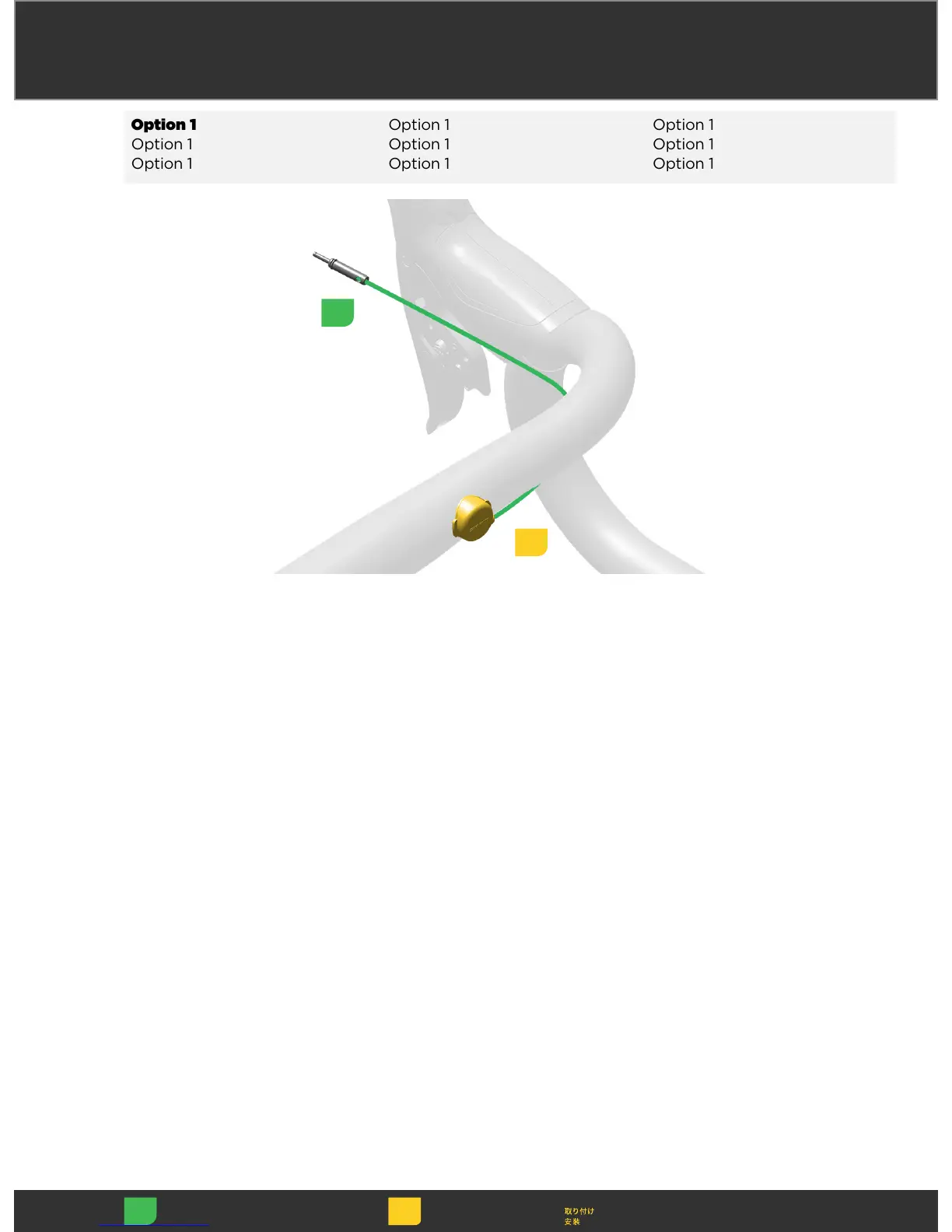
Clean the handlebar surface with
isopropyl alcohol.
Attach the Blip to the handlebar
with the adhesive tab in the desired
ergonomic position.
Clean the handlebar surface with
isopropyl alcohol.
Attach the Blip to the handlebar
with the adhesive tab in the desired
ergonomic position.
Clean the handlebar surface with
isopropyl alcohol.
Attach the Blip to the handlebar
with the adhesive tab in the desired
ergonomic position.
Clean the handlebar surface with
isopropyl alcohol.
Attach the Blip to the handlebar
with the adhesive tab in the desired
ergonomic position.
Clean the handlebar surface with
isopropyl alcohol.
Attach the Blip to the handlebar
with the adhesive tab in the desired
ergonomic position.
Clean the handlebar surface with
isopropyl alcohol.
Attach the Blip to the handlebar
with the adhesive tab in the desired
ergonomic position.
Clean the handlebar surface with
isopropyl alcohol.
Attach the Blip to the handlebar
with the adhesive tab in the desired
ergonomic position.
Clean the handlebar surface with
isopropyl alcohol.
Attach the Blip to the handlebar
with the adhesive tab in the desired
ergonomic position.
Clean the handlebar surface with
isopropyl alcohol.
Attach the Blip to the handlebar
with the adhesive tab in the desired
ergonomic position.
1



 To Next Page