-4-
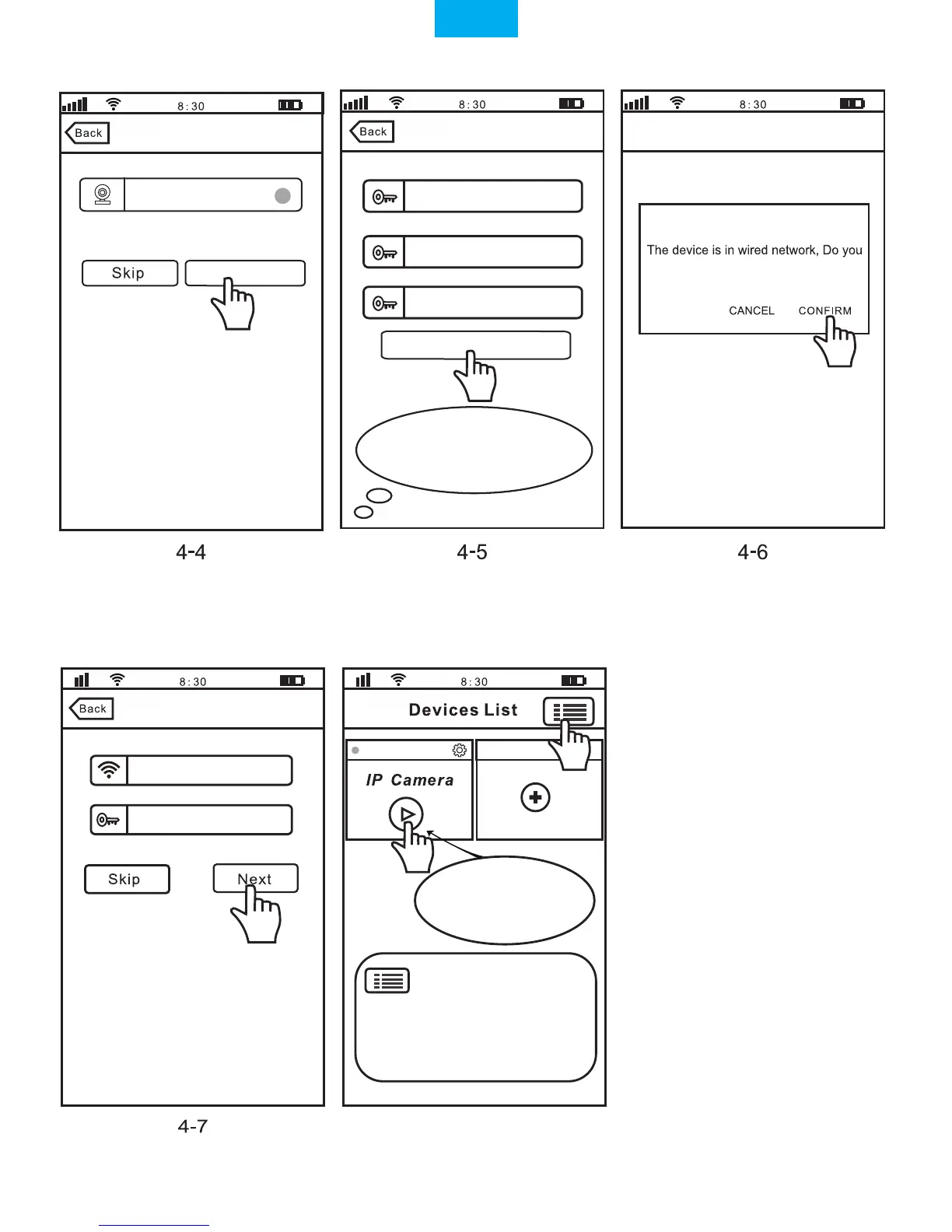
Note: Touch this button for setting
APP“Authority, Multi-Media,
System,
About us,
Update, Logout. ”
IPCam
Add new device
Note:Touch
for stream, keep
pressing for Setting
Authority: Open “Audio / Pan Tilt /...”
Multi-Media: Check “Video Playback/ Local Pictures
/ Alarm List”
Add device
Wi-Fi Setting
Change Admin Password
Password modify succeed
want to connect to Wi-Fi network?
The device is online.For the security,you’d
better change the password immediately
Change Password
Modify
Input old admin password
Input new admin password
Input new admin password
1069813
Sricamsales
Input Wi-Fi Password
4-8
Note: Password should be
3-9 characters long (A-Z,0-9)
without special characters.
English


 To Next Page