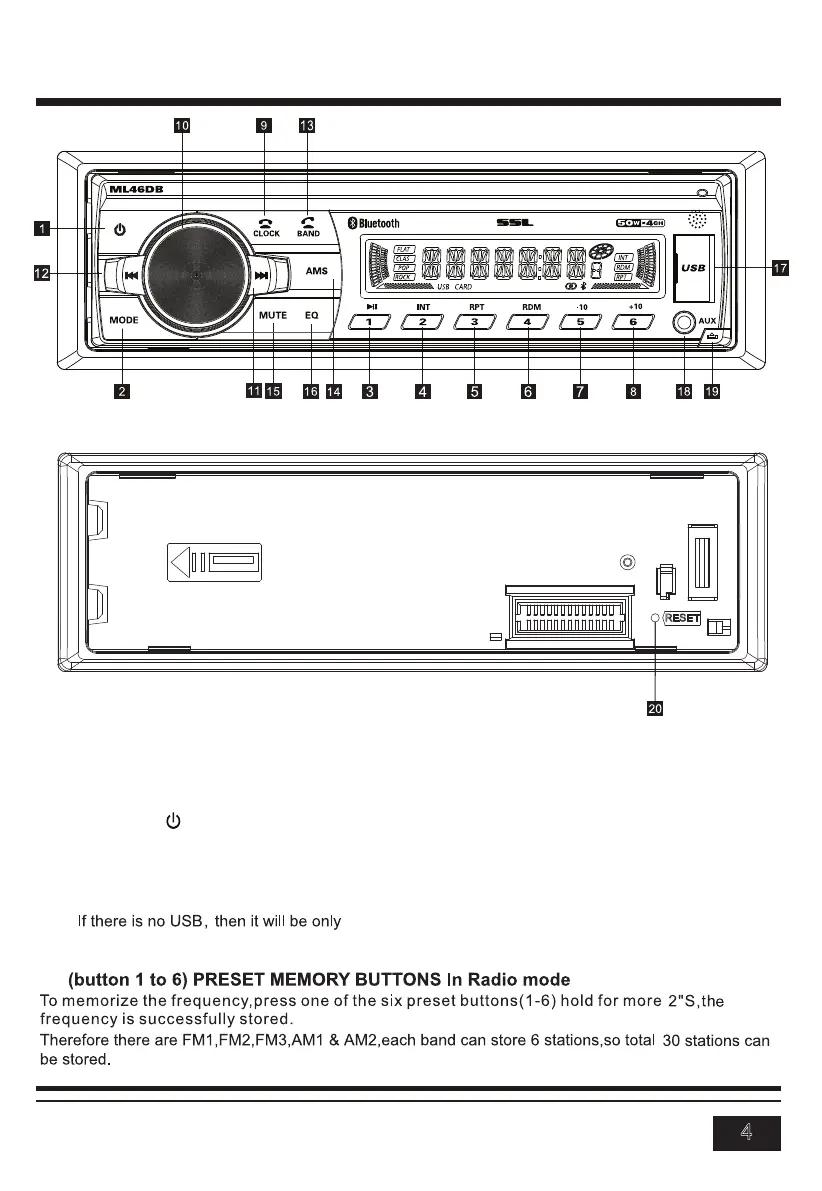
CONTROL PANEL BUTTON LOCATIONS
4
OPERATION
REMOVE PANEL
the unit).
Note:
1.POWER
2.MODE
3-8.
flash drive, their respective logos will illuminate on the display.
Press the power ( ) button to turn the unit on or off.
Press the MODE button to switch between RADIO, USB, BT, AUX IN modes. (if there are USB inside
radio , BT and Aux in. When the user insert a USB flash drive
RESET



 To Next Page