8
DISC/USB/CARD OPERATION
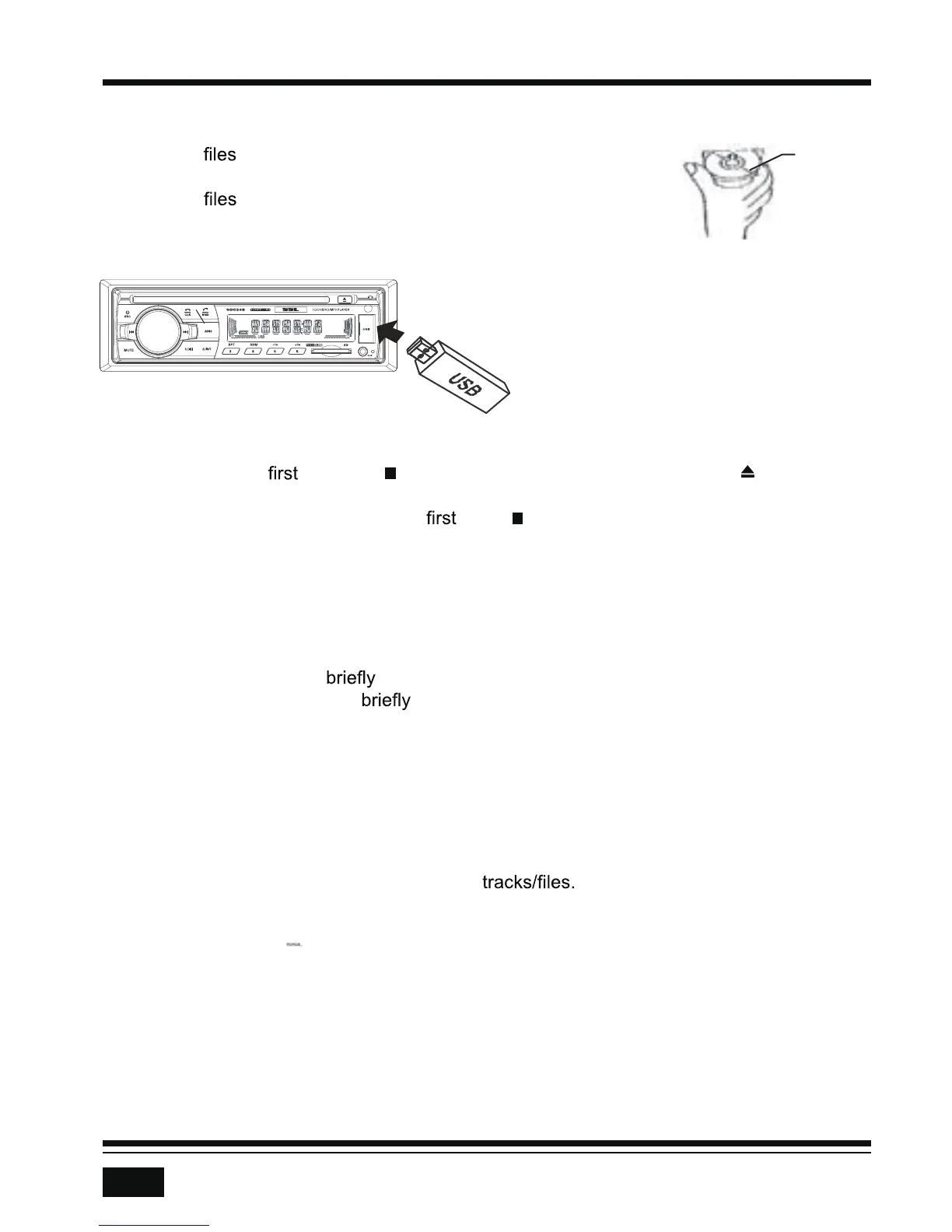
Insert Disc/USB/SD
• To play on a disc, insert a disc with the label surface up
into the disc slot. Playback will begin automatically.
• To play
on a USB device, open the USB port cover and
insert the USB storage device into the USB port. Playback will
begin automatically.
Eject Disc/USB/SD
• To eject a disc, press the (stop) button to stop playback. Press the (eject) button
to eject the disc and then remove it.
• To eject a USB device or SD card,
press the button to stop playback, then remove
the storage device or card.
Play/Pause
Press the >|| (play/pause) button to pause or resume playback.
Next/Previous Track
• To play the next track, press the >>| button.
• To play the previous track,
press the |<< button.
Fast Forward/Backward
• To fast forward, press and hold the >>| or > button.
• To fast backward, press and hold the |<< or < button.
Track Search
During USB or SD playback, press the AMS button to enter track search mode. Use the VOL
knob or VOL +/- buttons to navigate the list of
This function will time out after 5
seconds of inactivity.
Track/Folder Navigation
• During USB or SD card mode, press the 5/-10 button to go backward 10 tracks. Press
the 6/+10 button to jump forward 10 tracks.
• During USB or SD card mode, press and hold the 5/-10 button to go back one folder.
Press and hold the 6/+10 button to go up one folder. You can repeat this function
depending on the number and level of folders.
• These buttons have no function if the USB device or SD card has no folders.



 To Next Page