6000 COUNTS DIGITAL MULTIMETER
14
COM
A
V
Hz
mA
uA
A
mA
uA
C
。
Hz
mV
V
V
F
。
COM
A
V
Hz
mA
uA
A
mA
uA
C
。
Hz
mV
V
V
F
。
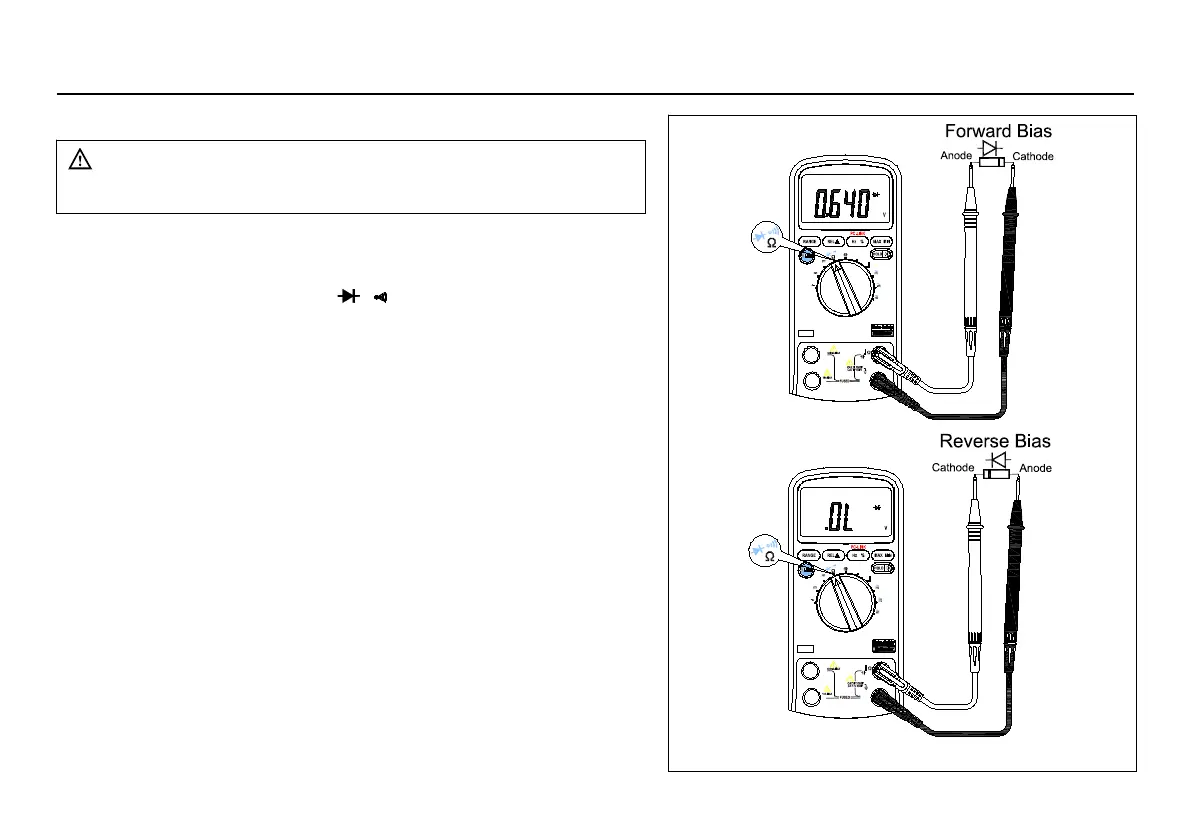
Figure 3-3 Testing a Diode
To avoid electrical shock and/or damage to the
instrument, disconnect circuit power and discharge
all high-voltage capacitors before testing diodes.
To test a diode out of a circuit (set up the Meter as shown in
1. Set the rotary switch to
2. Press the SELECT key once to activate Diode Test.
3. Connect the black and red test leads to the COM and V
4. For forward-bias readings on any semiconductor
component, place the red test lead on the component's anode
and place the black test lead on the component's cathode.
5. The meter will show the approx. forward voltage of the
In a circuit, a good diode (Si) should still produce a forward
bias reading of 0.5V to 0.8V; however, the reverse-bias
reading can vary depending on the resistance of other
pathways between the probe tips.



 To Next Page