6000 COUNTS DIGITAL MULTIMETER
15
COM
A
V
Hz
mA
uA
A
mA
uA
C
。
Hz
mV
V
V
F
。
COM
A
V
Hz
mA
uA
A
mA
uA
C
。
Hz
mV
V
V
F
。
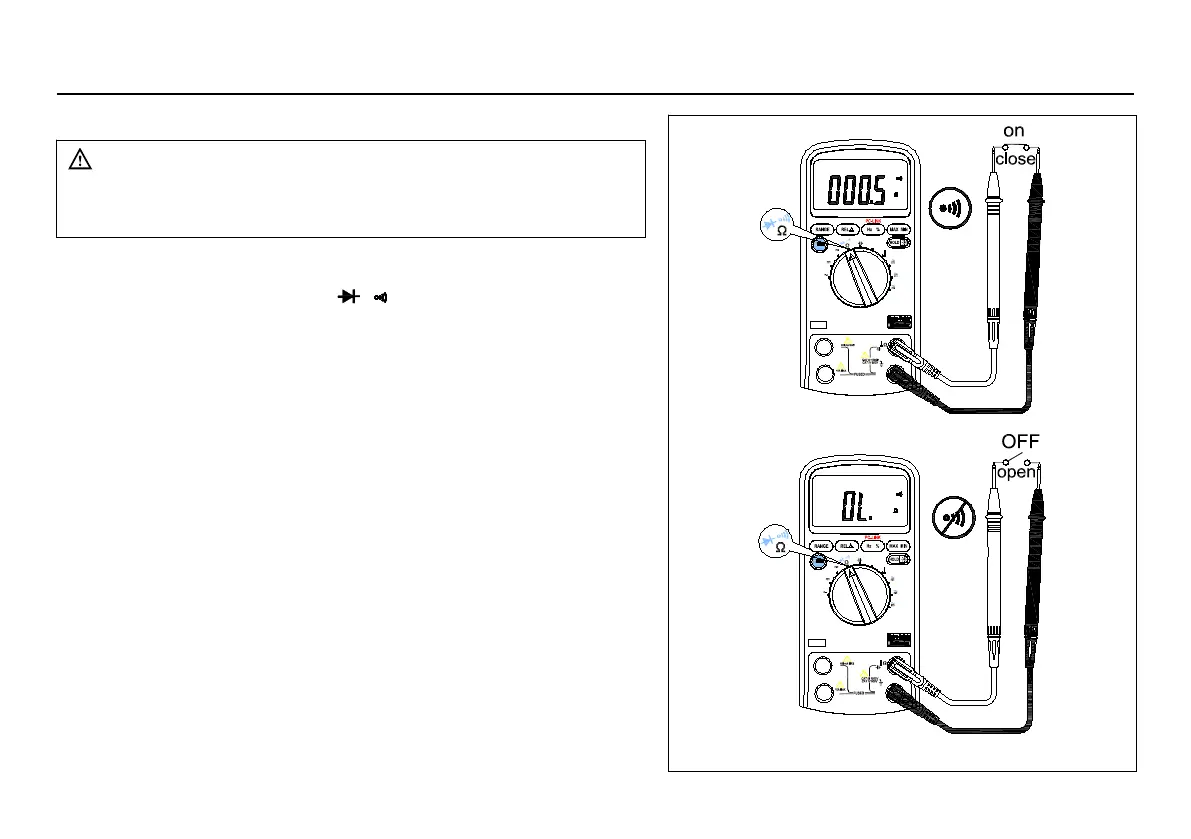
Figure 3-4 Checking the Continuity
To avoid electrical shock and/or damage to the
instrument, disconnect circuit power and discharge
all high-voltage capacitors before testing for
To test for continuity (set up the Meter as shown in Figure 3-4):
1. Set the rotary switch to
2. Press the SELECT key twice to activate Continuity Check.
3. Connect the black and red test leads to the COM and
4. Connect the test leads to the resistance in the circuit being
5. When the test lead to the circuit is below 40
beeping will indicate it.
Continuity test is available to check open/short of the circuit.



 To Next Page