ELECTRONIC LOCK
BATTERY INSTALLATION
You must rst install the baery which is located in
the ont protective styrofoam.
NOTE: When changing the baery, always hold
the baery connecting cap while disconnecting or
aaching the baery. Do not pull on the wires.
Doing this could cause the power supply to become
disconnected from the lock.
is safe uses one 9V alkaline baery. Under normal
use the baery will last about 1 year.
When the baery is low and you press a buon on
the keypad, a red light will come on warning you
that the baery is low.
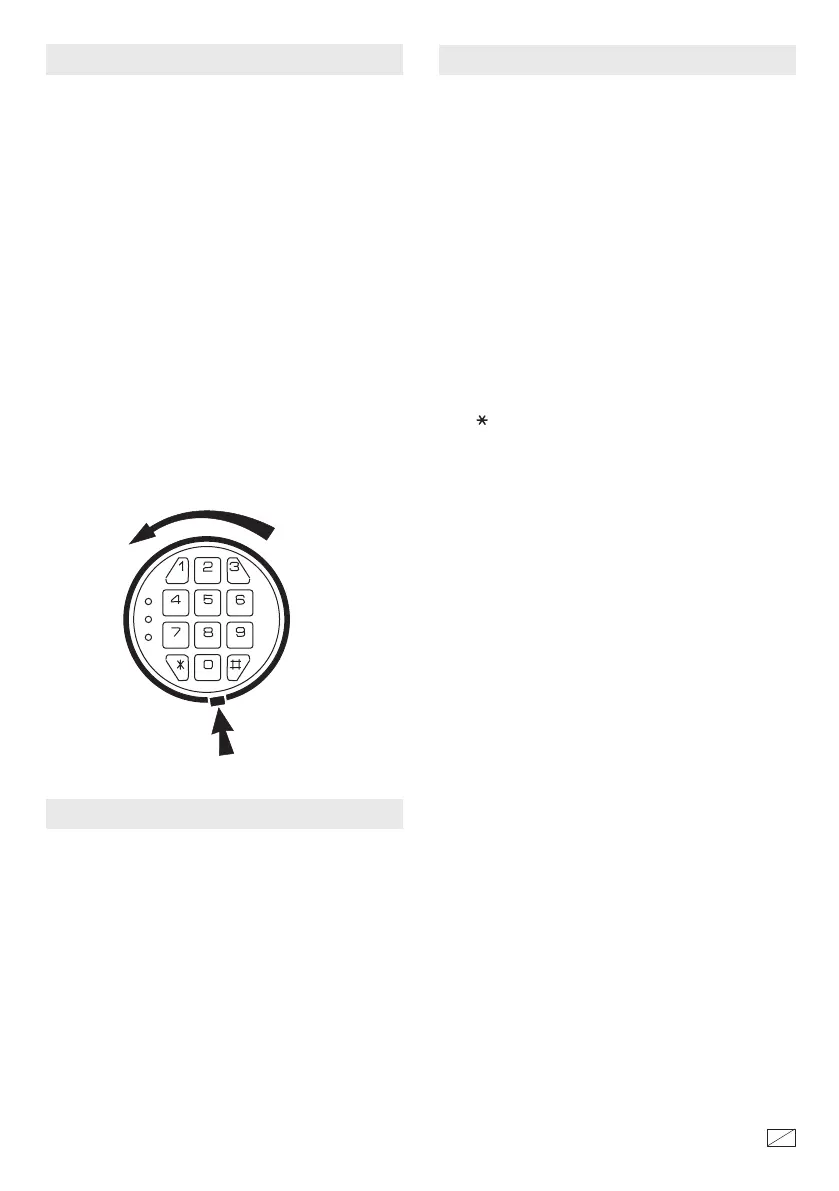
To replace the baery, remove the cover by pressing
the tab and turning the cover as shown in the
illustration below. Replace the old baery and screw
the cover back in place.
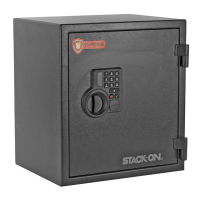
Aer installing the baery, to open an electronic lock
the rst time, press the following numbers/symbols
on the electronic keypad in this order: 1 - 5 - 9 - #.
ese numbers are preset.
NOTE: You should change the entry code as soon
as possible aer opening the safe to insure proper
security.
Aer you have entered the factory code, you will
need to turn the handle clockwise to open the door.
You will have 5 seconds to turn the handle before the
locking mechanism is reactivated.
TAB
ENTERING YOUR SECURITY CODE
To enter your own security code you will need to
follow the steps listed below:
1. Aer opening the electronic safe (with the preset
factory code of 1 - 5 - 9 - #) locate the small red
buon on the inside of the door near the hinge.
2. Press the red buon and then release it, you will
hear a beep. e yellow light on the faceplate will be
activated and will stay on for a period of time that
should allow you to enter your code. You can only
enter your code while the yellow light is on.
With the door open and the yellow light on, enter
your own personal security code, which can be 3 - 8
digits long, and conrm your new code by pressing
the " " symbol on the electronic touch pad.
Before you close the door, try the new security code
to make sure the lock releases the handle so you can
turn it and retract the live action bolts.
DO NOT SHUT THE DOOR UNTIL YOU
HAVE CONFIRMED THAT YOUR NEW
SECURITY CODE HAS BEEN ENTERED
CORRECTLY.
If the code fails, go through steps 1 and 2 again. If
the code works successfully record your
combination number on the front of this form or
store your combination on our secure website at
www.stack-on.com under Customer Service. If you
write down your combination you must keep this
information in a secure place, away from children,
not inside the safe. en you should close and lock
the safe.
When you open the safe in the future enter the
security code you have set followed by the " # "
symbol.
If the incorrect security code is entered 3 times you
will have an automatic lockout for 20 seconds before
you can try your code again.
If the incorrect security code is entered 3 additional
times there will be a 5-minute lockout before the
code can be tried again.
40249-1312
2
18



 To Next Page