12
Assign a Pad to Toggle a MIDI CC# Between Two Values
One popular musical effect is to take an audio clip, filter it heavily for certain sections of
the song, then switch it back to the full open sound later in the song. The following
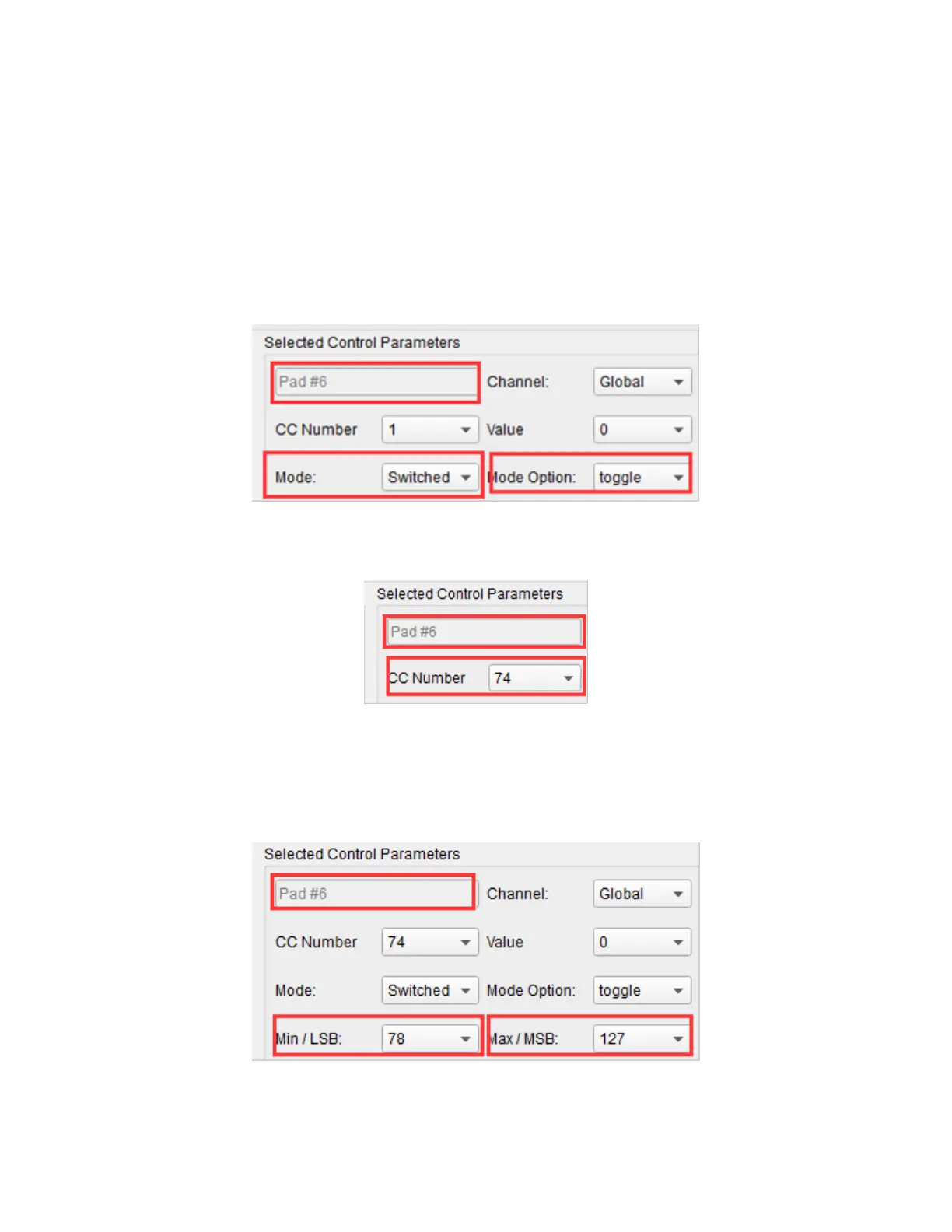
example sets Pad 6 to toggle two values for the Brightness filter (CC#74).
1. Click Pad 6 to select it, then use the Mode pull down list box to set it to Switched
and the Mode Option to Toggle.
2. Use the CC Number pull down list box to set the value to 74., which is the
Brightness filter.
3. Use the Min/LSB pull down list box to set the value to 78, which closes down the
filter part way, but still allows a lot of audio to pass through. Next, use the
Max/MSB pull down list box to set the value to 127, which opens the filter
completely to let full audio through.
Now, pressing Pad 6 toggles between the filtered and full audio settings.



 To Next Page