15
SETUP IN ABLETON® LIVE™
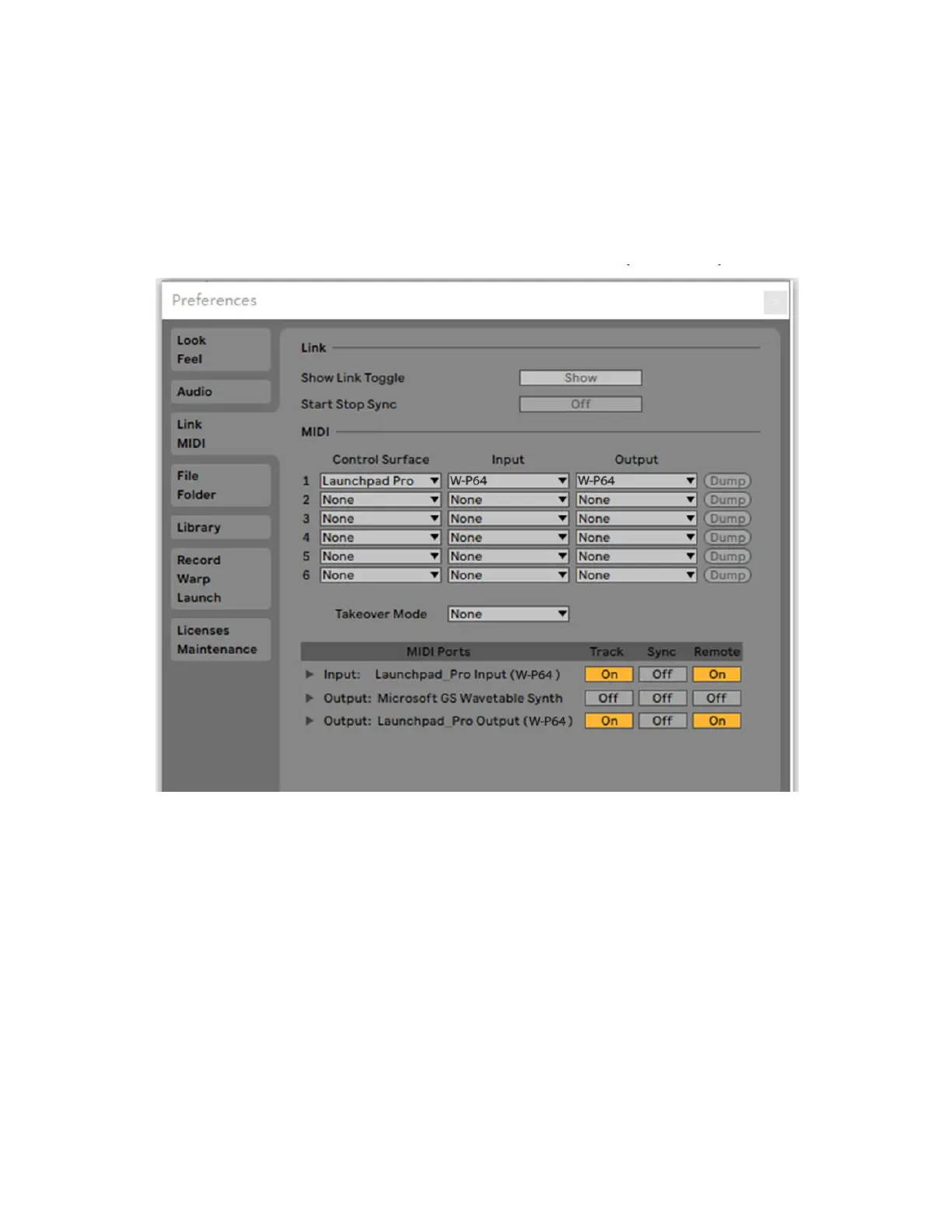
Once you have connected the SRP64 to your computer, open your Ableton® Live™
software and go to the Preferences screen. Click the Link MIDI tab on the left to get the
following screen.
• In the MIDI Ports section at the bottom, click the Track button to the right of the
Input and Output options to set Track On, which enables the SRP64 as an Input
device to play MIDI tracks in Live and as an Output device to see the played and
recorded notes feedback to the Pad LEDs.
• Set the Sync option On for the Output to cause the Pad LEDs to pulse and flash in
time with your project tempo.
• Turning Remote On for both the Input and Output allows the SRP64 to be mapped
to parameters in Live and to see feedback of that mapping.



 To Next Page