8
11. MMC Buttons: These six buttons default to send MIDI Machine Control messages to
a sequencer. From top to bottom, the buttons perform Play, Fast Forward, Rewind,
Record, Stop, and Loop functions. Press the ◄◄ and ► buttons at the same time
to set the buttons to send Control Change messages instead of MMC messages.
12. ▲ and ▼ Buttons: These buttons are used to increase or decrease values and to
navigate menus and options.
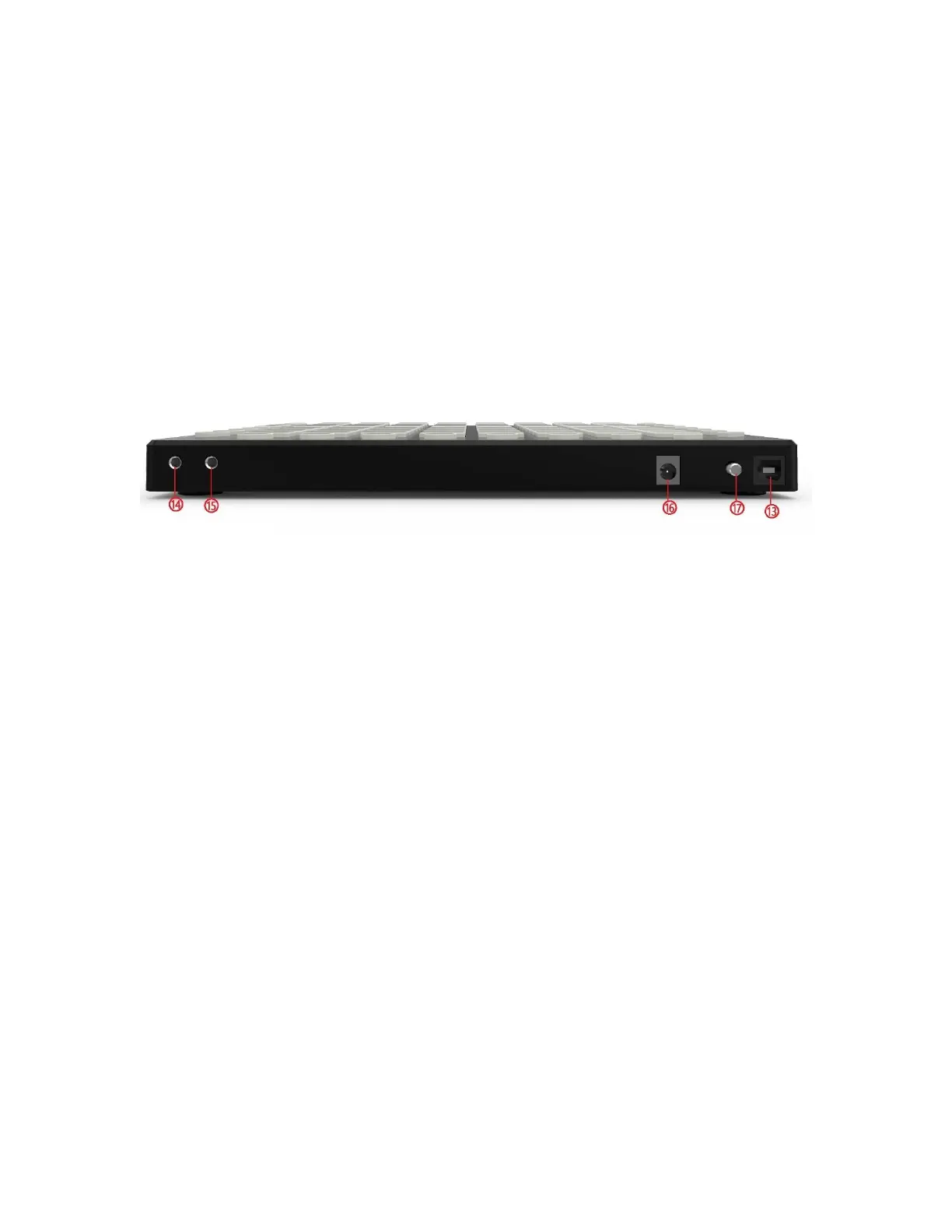
Rear Panel
13. USB: USB Type-B connector for connecting your PC using the included USB cable.
14. MIDI Out: MIDI output connector.
15. MIDI In: MIDI input connector.
16. DC 5V: DC barrel connector for connecting the included USB Power Cable to a USB
power source.
17. Power: Press the Power button to turn the SRP64 on or off.



 To Next Page