17
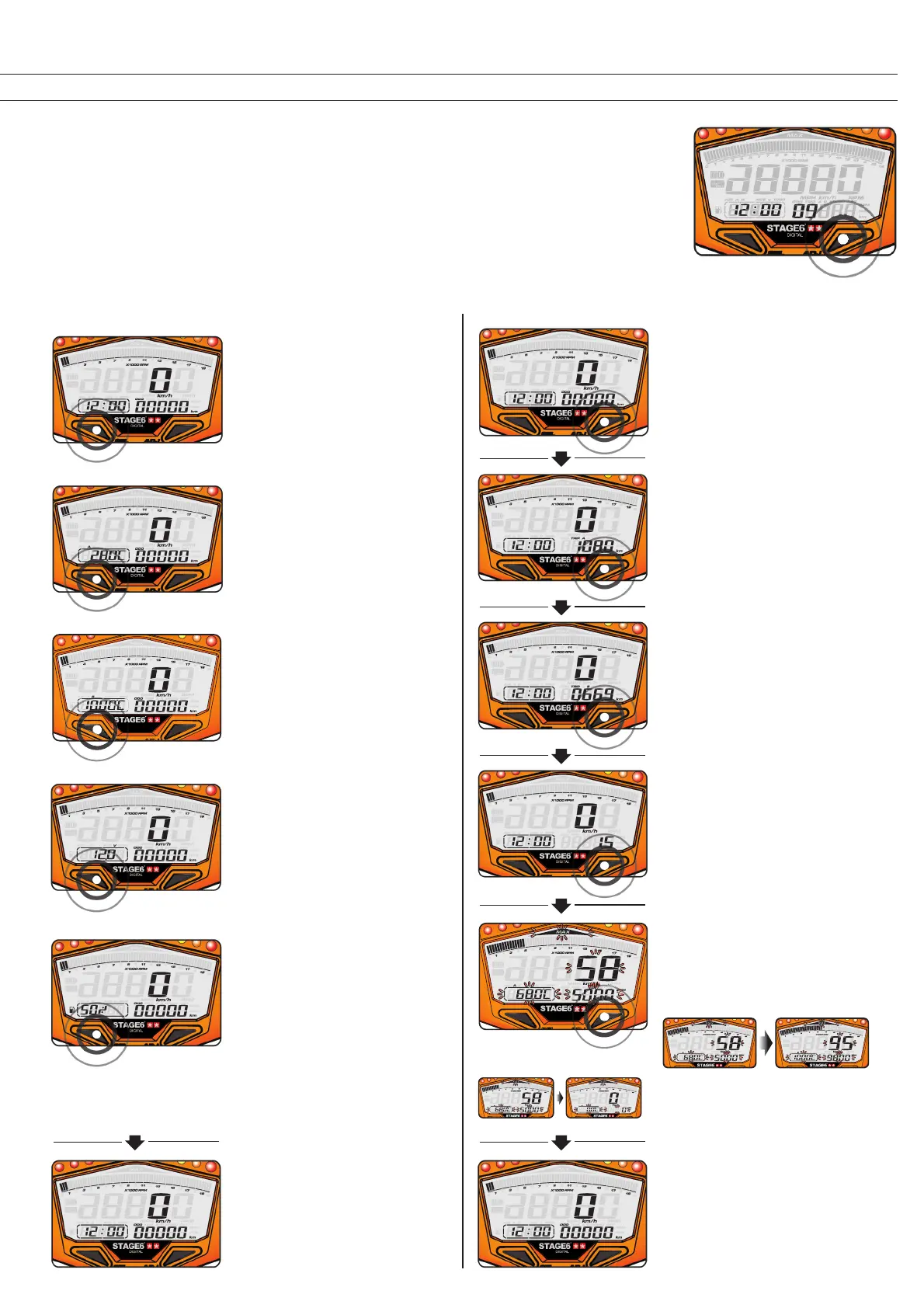
4.1 Switching Between Screens
4.1.1 The Adjust Button4.1.1 The Select Button
• In Standby mode,
press any button to
activate the
instrument.
• In the main screen, press the Select
Button to switch from clock readout
to temperature A readout.
In the main screen,
• press and hold the Adjust Button
for 3 seconds to change the speed
unit.
• press the Adjust Button to switch
from odometer to tripmeter A.
In the tripmeter A readout,
• press and hold the Adjust Button for
3 seconds to reset tripmeter A.
• press the Adjust Button to switch
from tripmeter A to tripmeter B.
In the engine hours readout,
• press and hold the Adjust Button for
3 seconds to reset the engine hours
meter.
• press the Adjust Button to switch
from engine hours to max record.
In the tripmeter B readout,
• press and hold the Adjust Button for
3 seconds to reset tripmeter B.
• press the Adjust Button to switch
from tripmeter B to engine hours
meter.
In the max record readout,
• press the Select Button to change
the max record screen from temp
A to temp B.
• press and hold the Adjust Button for
3 seconds to reset the max record.
• press the Adjust Button to switch
from max record back to the main
screen with odometer readout.
• The main screen.
• The main screen.
• Press the Select Button to switch
from temperature A readout to
temperature B readout.
• Press the Select Button to switch
from temperature B readout to
voltmeter readout.
• Press the Select Button to switch
from fuel meter readout to main
screen.
• Press the Select Button to switch
from voltmeter readout to fuel
meter readout.



 To Next Page