EasyManua.ls Logo

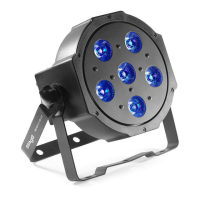
Stagg LightTheme ECOPAR 6 LT - User Manual

Stagg LightTheme ECOPAR 6 LT
14 pages
Print Icon
To Next Page IconTo Next Page
Loading...
USER
MANUAL
Ecopar6
LT
SLT-ECOPAR6
Please read the
instructions
carefully before use
Question and Answer IconNeed help?

Do you have a question about the Stagg LightTheme ECOPAR 6 LT and is the answer not in the manual?

Summary

Safety Instructions

Installation

Technical Specifications

Setting Up The Device

DMX Mode

Configure DMX channel for device operation, supporting 1 to 512 channels.

Channel Selection Mode

Select the desired DMX channel mode: 2, 5, 7, or 8 channels.

Sound Mode

Set the fixture to react to sound using the built-in microphone.

Colour Mode

Select preset colours or create custom colours by adjusting RGBW intensity.

LightTheme Mode

Activate pre-programmed light shows synchronized to music or events.

Using LightTheme Fixtures

Connect and configure multiple fixtures for synchronized LightTheme operation.
DMX512 Connections

Fixture Cleaning

Stagg LightTheme ECOPAR 6 LT Specifications

General IconGeneral
BrandStagg
ModelLightTheme ECOPAR 6 LT
CategorySpotlight
LanguageEnglish

Related product manuals