Need help?
Do you have a question about the Stagnoli A24 and is the answer not in the manual?
Provides detailed technical specifications for the A24 control unit, including power, receiver, and operating limits.
Specifies the approved applications for the H24 24V control unit and prohibits unauthorized uses.
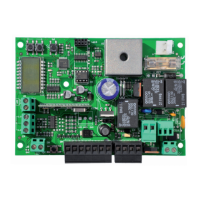
Details and labels all physical components and connection terminals of the A24 control unit.
Guides users on how to change the display language from the default English to other supported languages.
Details the process of programming encoder impulses and forces for swing gate operation.
Describes how to add radio controls to the system via the menu.
Covers adjustable parameters for gate operation like closing times and delays.
Details various operational functions that can be enabled or configured.
Explains options for resetting parameters or erasing radio controls.
Describes how to access and change the unit's display language.
Details the self-learning process for gate programming.
Defines key parameters such as auto-closing time, pedestrian opening, forces, and speeds.
Details how to reset all parameters to default or erase specific/all radio controls.
Lists error codes and diagnostic messages displayed by the control unit for troubleshooting.
Covers critical safety warnings for installation and the required steps for the initial system start-up.
Provides guidance on the proper and environmentally responsible disposal of the product's components.
Provides space to record customized parameter settings for future reference.
 General
| Brand | Stagnoli |
|---|---|
| Model | A24 |
| Category | Control Unit |
| Language | English |

 To Next Page