OPERATIONAL INSTRUCTIONS
12
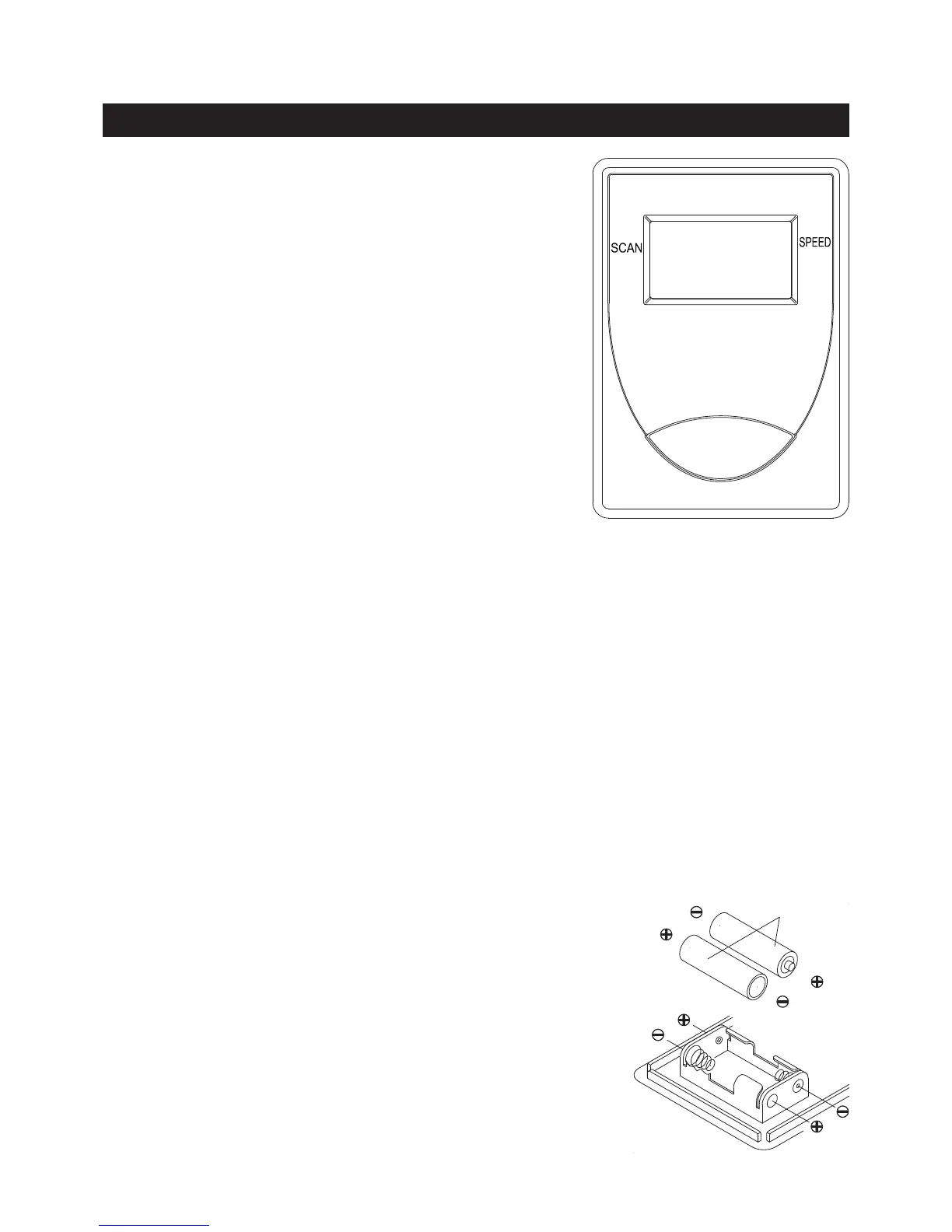
USING THE FITNESS METER
NOTE:
1. Use your hand or a simple tool to pry the METER(67) from the side
covers.
2. The meter operates with two AA batteries, the batteries are not
included. Refer to the illustration to install or replace the batteries.
HOW TO INSTALL AND REPLACE BATTERIES:
FUNCTIONS:
Pull the HANDLEBAR(16) or push the
button.
Automatically shuts off after four minutes
of inactivity.
POWER OFF :
POWER ON :
FUNCTION BUTTON:
Press to select the function value displays of DISTANCE, TIME,
and CALORIES.
Reset all functions to zero by pressing the button and holding
it down for four seconds.
AA Batteries
The meter will shut off automatically after four minutes of inactivity. All function values will
be kept. Press the MODE button and hold it down for four seconds to reset all functions
to zero.
NOTE:
Displays the current speed on upper display from zero to 999.9 miles per hour.
Lower display automatically scans each function of DISTANCE, TIME, and CALORIES
in sequence every six seconds.
Displays the distance from zero to 99.9 miles.
Displays the time from one second up to 99:59 minutes.
Displays the calorie burned from zero to 999.9 Kcal.
The calorie readout is an estimate for an average user. It should be used only as a
comparison between workouts on this unit.
SPEED:
SCAN:
DISTANCE:
TIME:
CALORIES:
DIST
TIME
CAL
MODE
1. Do not mix a new battery with an old battery.
2. Use the same type of battery. Do not mix an alkaline
battery with another type of battery.
3. Rechargeable batteries are not recommended.
4. Ultimate disposal of battery should be handled
according to all state and federal laws and regulations.
5. Do not dispose of batteries in re.




 To Next Page