
 Need help?
Do you have a question about the Standard Change-Makers MC700 and is the answer not in the manual?
Guidelines for safely connecting the machine to a power source.
Instructions and considerations for properly loading bill dispenser cartridges.
Procedures for testing the machine's functionality after installation.
Guidance on identifying and resolving dispenser error codes and conditions.
Method for resetting a dispenser to clear error conditions.
Details on operating voltage, power consumption, and electrical service requirements.
Guidelines for machine placement based on temperature, dirt, and moisture.
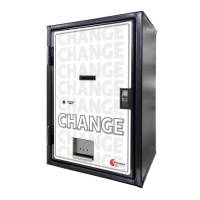
General instructions for installing different machine cabinet styles.
Points to consider for optimal machine placement, including user and service access.
Instructions for connecting the machine to a power supply.
Checks for proper electrical supply voltage, polarity, and grounding.
Configuration of bill acceptance and security levels for denominations.
Feature to limit revenue loss by detecting unusual bill deposit patterns.
Feature to automatically reset the machine from certain error conditions.
Setting the sensitivity for detecting bill stringing attempts.
Using the status LED to indicate dispenser errors with flash codes.
A chart to assist in troubleshooting common machine failures.
Procedures for removing modules and cleaning components.
Procedures to reset all feature settings to factory defaults.
 General
| Model | MC700 |
|---|---|
| Category | Cash Counters & Coin Sorters |
| Dimensions | 13.5" H x 16.5" W x 13" D |
| Weight | 28 lbs |
| Type | Coin Counter / Sorter |
| Power | 110V AC |
| Coin Diameter Range | 17-31 mm |
| Power Supply | 110V AC |


 To Next Page