EasyManua.ls Logo

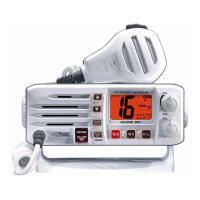
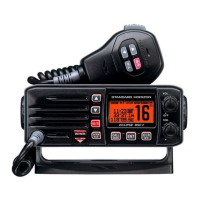
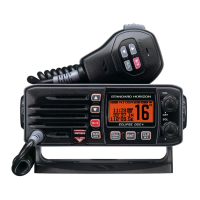
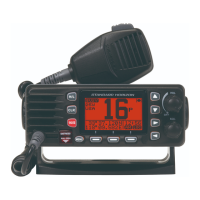
Standard Horizon ECLIPSE DSC+ GX1200E - User Manual

Standard Horizon ECLIPSE DSC+ GX1200E
100 pages
Print Icon
To Next Page IconTo Next Page
Loading...
Page 1
GX1200E
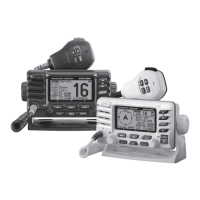
ECLIPSE DSC+ GX1200E
25 Watt VHF/FM
Class D DSC Marine Transceiver
Owner's Manual

Affordable ultra compact class D xed mount VHF radio
Submersible JIS7/IPX7 class (1 m for 30 minutes) front
panel
Separate dedicated channel 70 receiver for DSC
Programmable soft keys
GPS position and time shown* on a full dot matrix display
DSC distress, individual, group, all ships, position request,
position report and DSC test call
Programmable scan, priority scan, and dual watch
NMEA in and output connections to a compatible GPS chart
plotter
Microphone capable of selecting 16 and 9, changing
channels and H/L transmit power
All USA/International and Canadian marine channels
Capable of the ATIS Function in the Inland Water Way
Meets ITU-R M493-13 class D DSC (Digital Selective
Calling)
* When GPS connected
MODEL CODE: AM037N
PARTS NUMBER: EM037N220
SIZE: 210 x 148.5
PRINTING COLOR: BLACK
MATERIAL (COLOR):WOODFREE PAPER (WHITE)

Table of Contents

Questions and Answers

  • D
    Danny ClineJul 30, 2025
    Why does my Standard Horizon Transceiver show 'HI BATTERY' or 'LO BATTERY'?
    • J
      Jean ReeseJul 30, 2025
      If your Standard Horizon Transceiver displays a “HI BATTERY” or “LO BATTERY” message when powered on, it indicates that the power supply voltage is either too high or too low. Verify that the connected power supply voltage is between 10 and 17 volts DC and that the generator hasn't malfunctioned.
  • J
    Joan StoneAug 3, 2025
    How to fix a Standard Horizon Transceiver that fails to power up?
    • J
      Jacob SilvaAug 3, 2025
      If your Standard Horizon Transceiver won't power up, first check the 12 VDC battery connections and the fuse. Also, ensure that the VOL knob is rotated clockwise to turn the radio on.
  • B
    Beth CummingsAug 7, 2025
    What to do if Standard Horizon Transceiver blows fuse?
    • A
      anthony78Aug 8, 2025
      If your Standard Horizon Transceiver blows a fuse when connected to the power supply, the power wires might be reversed. Check the power cable for DC voltage and replace the fuse (6 A 250 V). Ensure the red wire connects to the positive (+) battery post and the black wire to the negative (-) battery post. If it continues to blow, contact your Dealer.
  • D
    Derrick WilsonAug 11, 2025
    Why is my position not displayed on my Standard Horizon Transceiver?
    • K
      Katie WhiteAug 11, 2025
      If your position is not displayed on the Standard Horizon Transceiver, check the accessory cable connection. Some GPS units use the battery ground line for NMEA connection. Also, check the output signal format of the GPS navigation receiver. This radio requires NMEA0183 format with GLL, RMC, GGA, or GNS sentence as an output signal. If the GPS has a baud rate setting, ensure it is set to 4800 and the parity is set to NONE.
  • S
    scott15Aug 16, 2025
    How to eliminate speaker noise in Standard Horizon Transceiver?
    • M
      Mary EstesAug 16, 2025
      If you hear popping or whining noises from the speaker of your Standard Horizon Transceiver while the engine is running, it's likely due to engine noise. Try rerouting the DC power cables away from the engine. You can also add a noise suppressor on the power cable, change to resistive spark plug wires, and/or add an alternator whine filter.
  • B
    Brett PerezAug 20, 2025
    Why is my Standard Horizon Transceiver transmit power low?
    • T
      triciamcgeeAug 21, 2025
      If a receiving station reports low transmit power from your Standard Horizon Transceiver, even when it's set to HI power, the antenna might be the cause. Have the antenna checked or test the transceiver with another antenna. If the problem persists, contact your Dealer for servicing.
  • M
    Megan MorrisAug 25, 2025
    What to do if Standard Horizon Transceiver has no sound?
    • S
      Stephen Smith MDAug 25, 2025
      If no sound is coming from the internal or external speaker of your Standard Horizon Transceiver, check the connections of the accessory cable. There might be a short circuit on the External speaker cable WHITE/SHIELD.

Summary

Quick Reference Guide

Radio Controls Overview

Overview of key controls on the transceiver including power, squelch, channel selection, PTT, and H/L power.

Safety and Warnings

Important Safety Information

Provides crucial safety warnings and precautions regarding RF exposure, antenna installation, and operating duty cycles.

Installation

Basic Operation

Reception and Transmission

Procedures for receiving signals and transmitting calls, including PTT usage and FCC requirements.

Digital Selective Calling (DSC)

MMSI Programming

Step-by-step guide for programming the Maritime Mobile Service Identity (MMSI) number.

DSC Distress Alert

Procedures for transmitting and receiving DSC distress alerts, including nature of distress.

Setup Menu Navigation

Maintenance and Troubleshooting

Troubleshooting Chart

Common symptoms, probable causes, and remedies for transceiver issues.

Standard Horizon ECLIPSE DSC+ GX1200E Specifications

General IconGeneral
TypeFixed Mount VHF Marine Transceiver
DSC CapabilityYes
Power Output25W / 1W
Frequency Range156.025 - 157.425 MHz
Waterproof RatingIPX7
NMEA Input/OutputYes
GPS InputYes
AIS DisplayYes
GPS InterfaceNMEA0183
Channel SelectionUSA, International
DisplayLCD

Related product manuals