EasyManua.ls Logo

Standard Horizon ECLIPSE + GX1250SA - User Manual

Standard Horizon ECLIPSE + GX1250SA
24 pages
Print Icon
To Next Page IconTo Next Page
Loading...
VOL/
PWR
STANDARD HORIZON
Simple Operation
Submersible Microphone
Programmable Scan & Priority Ch16 Scan
NOAA Weather Alert
Backlit LCD & Keys
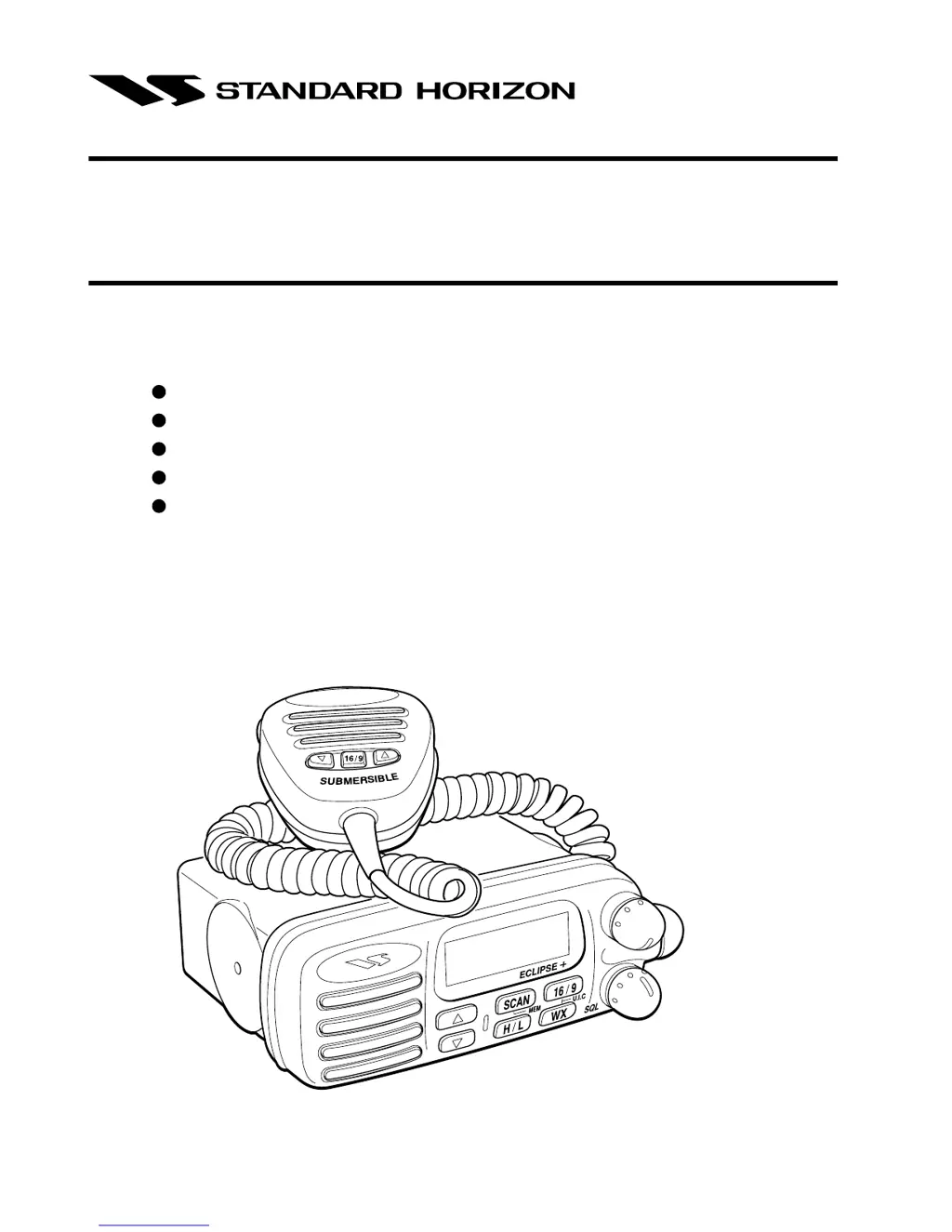
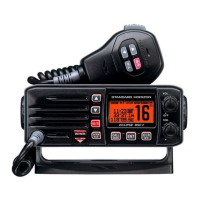
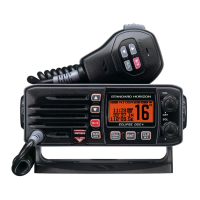
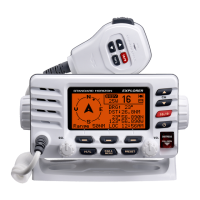
ECLIPSE + GX1250SA
25 watt VHF/FM
Marine Transceiver
Owner’s Manual

Questions and Answers

  • B
    Brenda WilliamsJul 30, 2025
    Why does my Standard Horizon Transceiver keep blowing fuses?
    • M
      Miguel HendrixJul 30, 2025
      If your Standard Horizon transceiver blows a fuse when connected to the power supply, it is likely due to reversed power wires. Ensure that the red wire is connected to the positive battery post and the black wire is connected to the negative. If the fuse continues to blow after verifying correct wiring, contact your Standard Horizon dealer for further assistance.
  • B
    Brianna MeyerAug 4, 2025
    How to fix Standard Horizon ECLIPSE + GX1250SA that fails to power up?
    • A
      alexandersnowAug 4, 2025
      If your Standard Horizon transceiver fails to power up, the issue might be due to a lack of DC voltage or a blown fuse. Check the power cable to ensure it's receiving DC voltage. Also, inspect the fuse and replace it if necessary with a 6A 250V fuse.
  • H
    Heather BaileyAug 9, 2025
    What to do if Standard Horizon ECLIPSE + GX1250SA Transceiver has popping noise from the speaker?
    • D
      Dawn GonzalesAug 9, 2025
      If you are hearing popping or whining noises from the speaker of your Standard Horizon transceiver while the engine is running, it's likely due to engine noise. To resolve this, try rerouting the DC power cables away from the engine. You can also add a noise suppressor on the power cable, switch to resistive spark plug wires, and/or install an alternator whine filter.
  • J
    Jonathan BryantAug 14, 2025
    Why Standard Horizon ECLIPSE + GX1250SA Transceiver transmits on low power only?
    • S
      Steven SanchezAug 14, 2025
      If your Standard Horizon transceiver transmits only on low power, the cause may be related to the antenna. Have the antenna checked, or test the transceiver using an alternative antenna. If the issue persists, contact your Standard Horizon dealer.
  • J
    jsanchezAug 19, 2025
    What to do if Standard Horizon Transceiver transmits but does not receive?
    • J
      Jessica LoweryAug 19, 2025
      If your Standard Horizon transceiver transmits but does not receive, the issue might be due to the channel mode. The transceiver could be tuned to a duplex channel meant for ship-to-shore radiotelephone communications.
  • J
    John WrightAug 23, 2025
    Why external speaker plug does not fit into Standard Horizon jack?
    • W
      wilsonnicholasAug 25, 2025
      If the external speaker plug doesn't fit into the jack of your Standard Horizon transceiver, it's probably because the speaker cable has the incorrect plug. The external speaker jack is designed to accept only RCA phono plugs.

Summary

GENERAL INFORMATION

INTRODUCTION

Overview of the transceiver and the manual's purpose.

FCC; INDUSTRY CANADA INFORMATION

Technical data required for license applications and compliance.

ACCESSORIES

PACKING LIST

Contents of the transceiver package upon purchase.

OPTIONS

Available accessories for the transceiver.

CONTROLS AND INDICATORS

CONTROLS AND CONNECTIONS

Identification and function of physical buttons, knobs, and ports.

INDICATORS

Explanation of symbols and lights on the transceiver's display.

INSTALLATION

FREQUENCY AND DEVIATION TESTS

Required technical tests before initial transceiver operation.

LOCATION

Guidelines for selecting an optimal mounting place for the transceiver.

INSTALLATION USING REGULAR MOUNTING BRACKET

Step-by-step guide for standard bracket mounting.

CMB16 FLUSH MOUNT INSTALLATION

Instructions for installing the transceiver using a flush mount bracket.

OPERATION

RECEPTION

How to receive signals and adjust audio settings.

TRANSMISSION

Steps for transmitting, including PTT operation and audio quality.

TRANSMIT TIME - OUT TIMER (TOT)

Explanation of the automatic transmit time limit feature.

SIMPLEX;DUPLEX CHANNEL USE

Information on using different channel modes.

USA, CANADA, AND INTERNATIONAL MODE

How to switch between different regional operating modes.

NOAA WEATHER CHANNELS

Instructions for accessing and listening to weather broadcasts.

NOAA WEATHER ALERT

How to set up and respond to weather alerts.

MEMORY SCANNING

Procedure for scanning through programmed channels.

PRIORITY SCANNING (PRI-SCAN)

How to scan between programmed channels and a priority channel.

MAINTENANCE

REPLACEMENT PARTS

List of parts available for order and their part numbers.

TROUBLESHOOTING CHART

Guide to diagnosing and resolving common transceiver issues.

SPECIFICATIONS

GENERAL

General specifications including channels, voltage, current, and dimensions.

TRANSMITTER

Technical specifications related to the transmitter's performance.

RECEIVER

Technical specifications related to the receiver's performance.

Standard Horizon ECLIPSE + GX1250SA Specifications

General IconGeneral
Output Power25W / 1W
NOAA Weather ChannelsYes
Voltage Range13.8 VDC
DisplayLCD
ScanningYes
Antenna ConnectorSO-239
Waterproof RatingIPX7
Current Consumption5.0A (TX High), 0.5A (RX), 0.2A (Standby)
DSCYes
Battery LifeN/A (Requires external power)

Related product manuals