2. Operation Procedure
11
13.
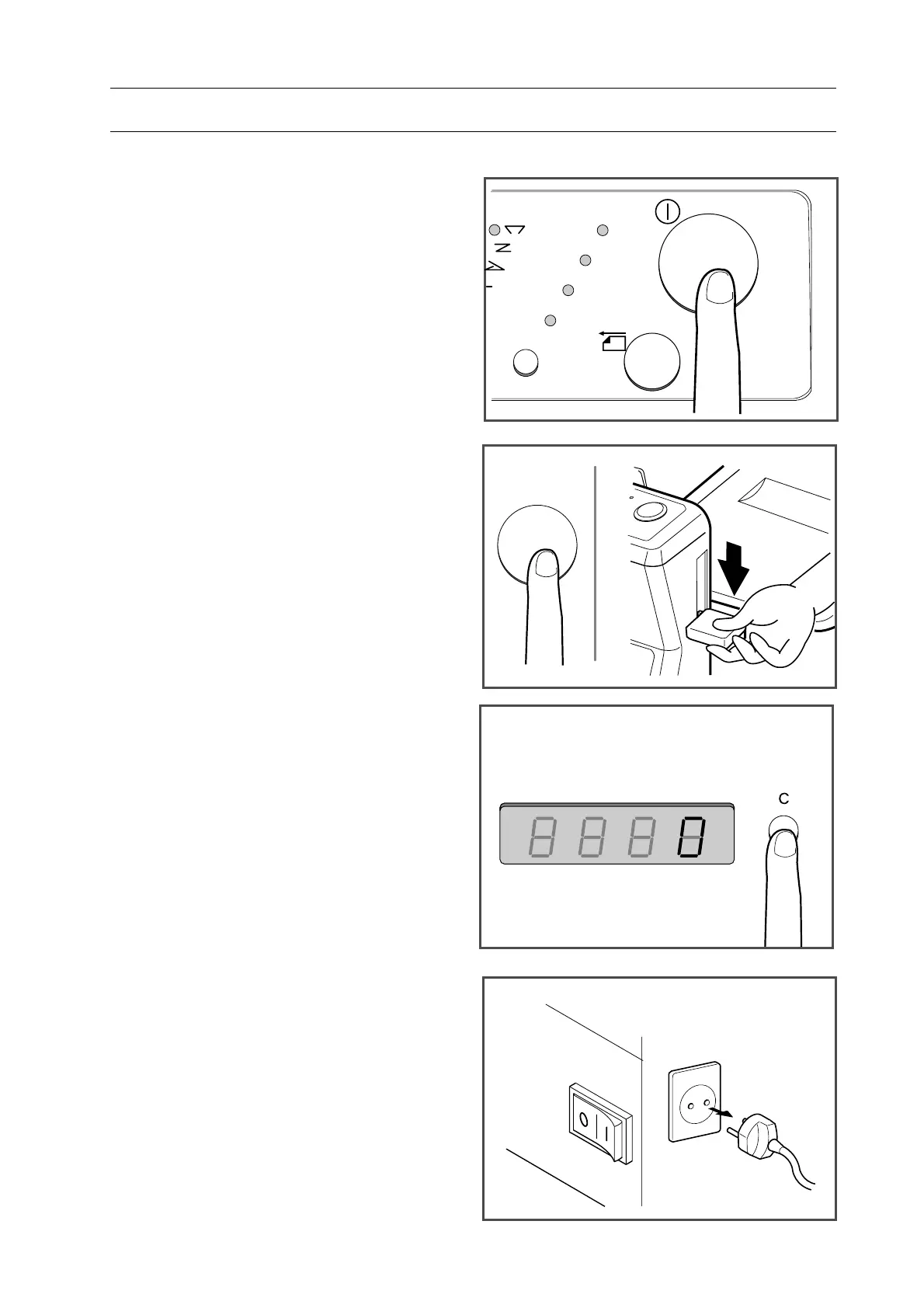
Press start/stop button. PF-P310 starts
folding.
14.
When you want to stop folding, press
start/stop button or lower feed tray lever.
15.
Number of folded sheets are indicated
on display.
- To delete display, press clear button.
- Number indicated on display is deleted
also when power switch is turned off.
16.
When your folding job is finished,
lower feed tray lever and turn off main
switch.
- Pull out power cord from outlet.
- Close delivery tray and feed tray.
11"x17"
8
1/2"x11"
6"x9"
5
1/2"x81/2"
2-1 Operation Procedure


 To Next Page