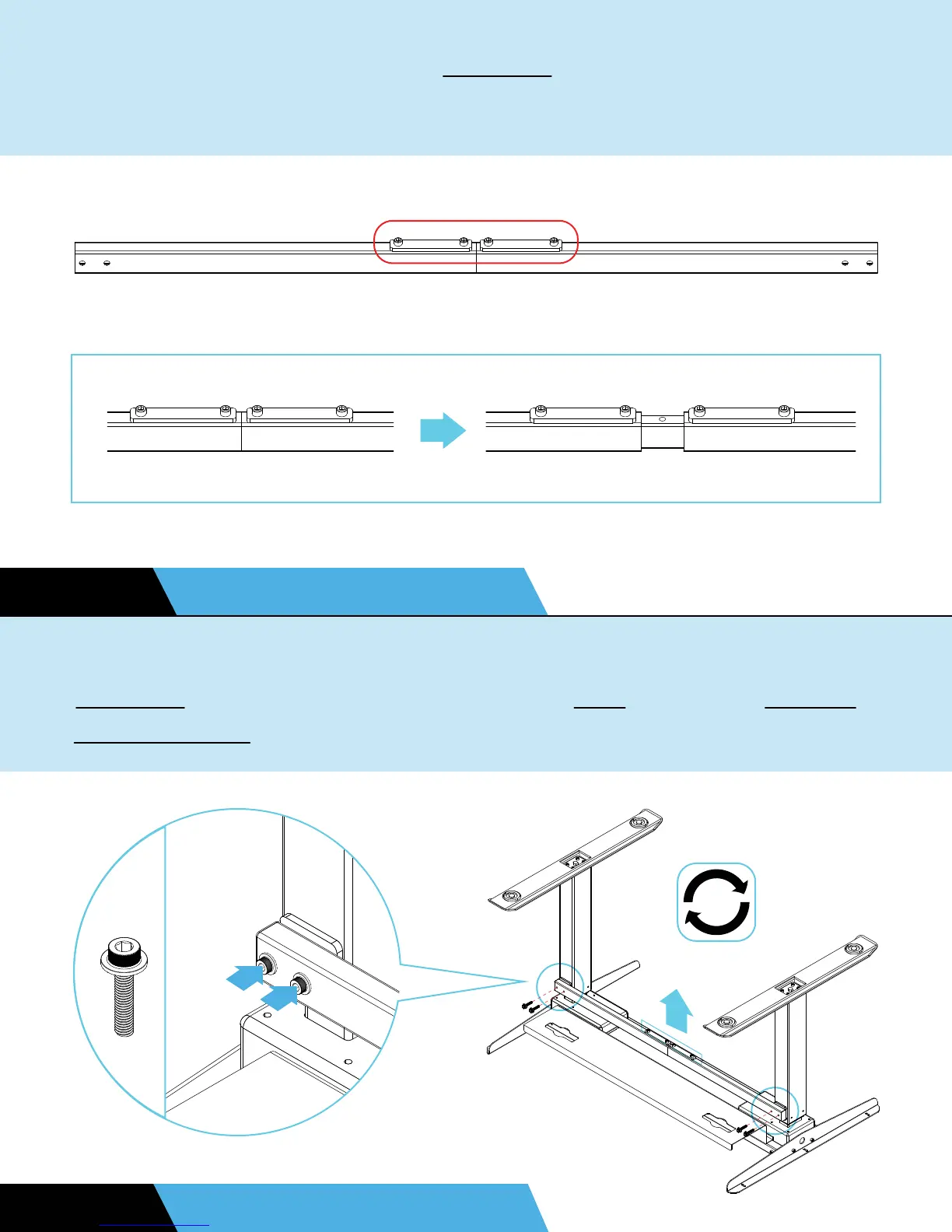
If you purchased the optional crossbar, loosen but don’t remove
the pre-installed bolts in the middle. Then, adjust the width.
STEP 8 OPTIONAL UPGRADE
Ensure that the raised bolt holes are facing out. Attach the
crossbar to the holes on the back of the legs using four M6x25
anti-slip bolts. Tighten the middle bolts once done.
STEP 9 OPTIONAL UPGRADE
H8


 To Next Page