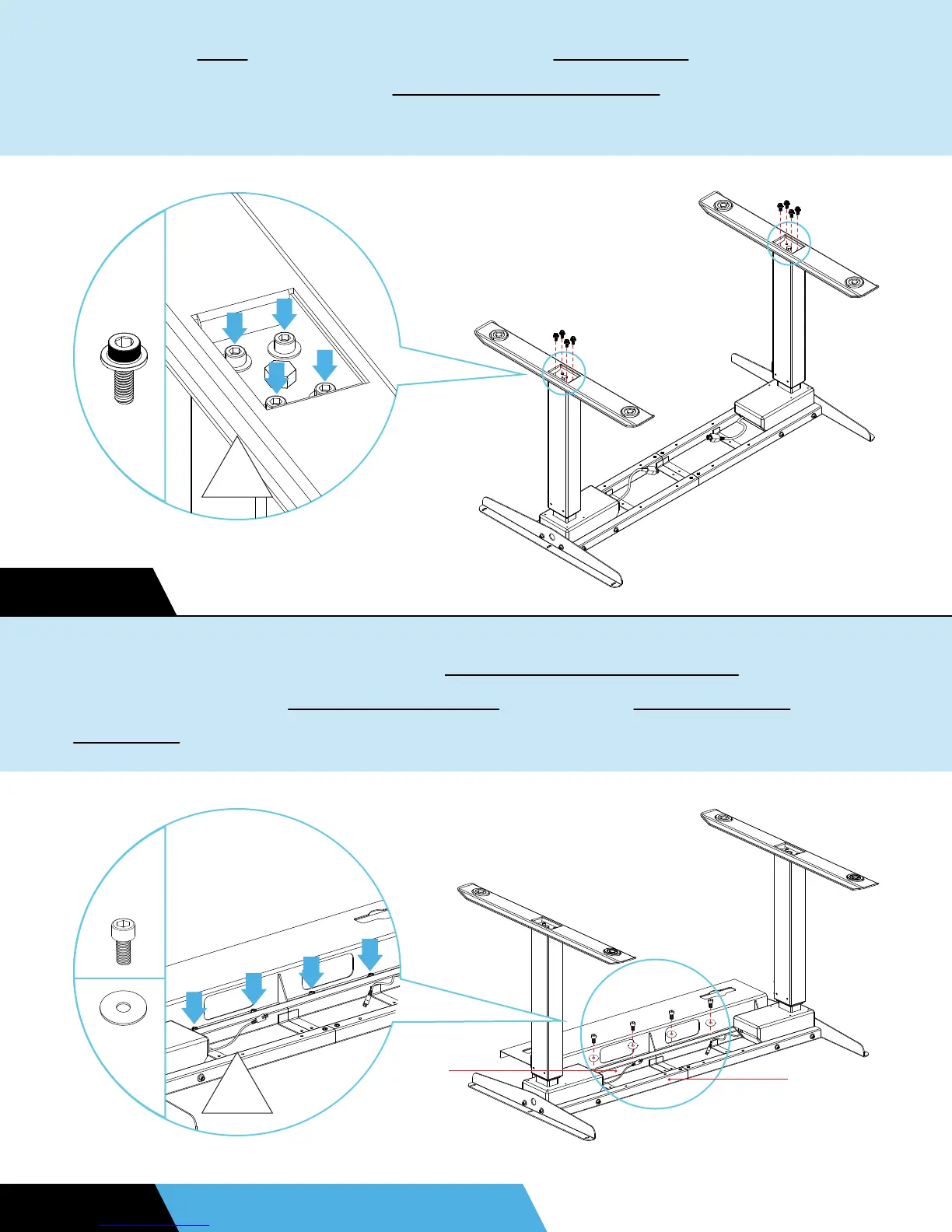
STEP 6
Place the feet on top of the stabilizing foot plates and align the
holes. Finger tighten four M6x12 anti-slip bolts in a diagonal
pattern for best fit. Once all bolts are aligned, fully screw them
If you purchased the optional cable management tray, attach it
face down to the back middle slat using four M6x12 bolts and
washers.
STEP 7 OPTIONAL UPGRADE
H3
5
H2
4
H7
BACK
MIDDLE
SLAT
FRONT
MIDDLE
SLAT


 To Next Page