If you’re using a StandDesk top, place the support braces
on the desk so they line up with the pre-drilled holes. It’ll
make it easier for you later on.
PRO TIP
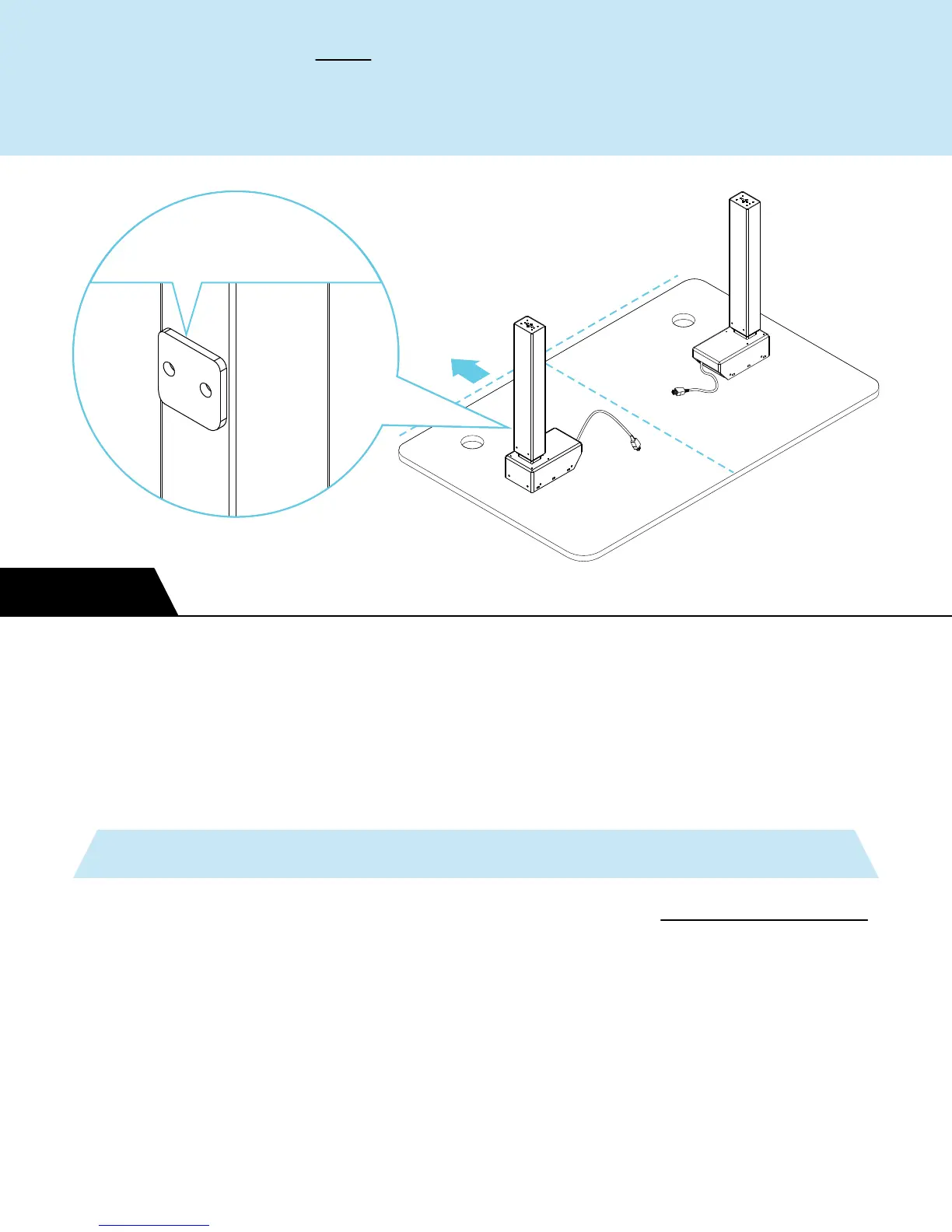
Start by placing the legs on the underside of your desk top.
Position the motor ends and cords towards the middle. Make
sure the crossbar plates are facing towards the back.
BACK
STEP 1
Crossbar
plates facing BACK


 To Next Page