EasyManua.ls Logo

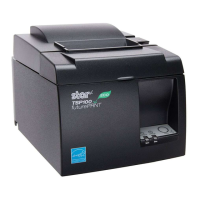
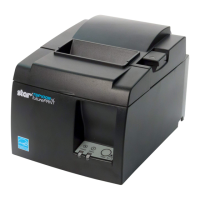
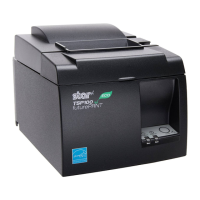
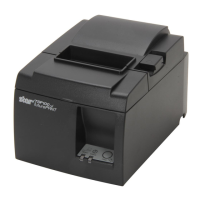
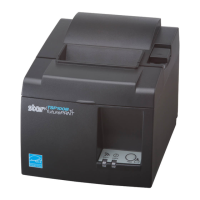
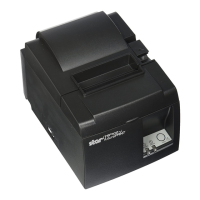
Star Micronics TSP143ECO - User Manual

Star Micronics TSP143ECO
2 pages
Print Icon
To Next Page IconTo Next Page
Loading...
80876371 TSP100IIU EJCK
Setting
Up
Your
Printer
I
セットアップ
I
安装打印机
I
프린터 설치하기
Before you set up and operate your printer, look at the Manuals
included on the supplied CD-ROM for more information.
CAUTION:
注意 :
在安装及启动打印机之前,请参
阅在驱动光盘里的说明书。
Unpack the printer.
开箱检查。
開梱してください。
注意 :
プリンタをセットアップしたり操作する前に、
付属 CD-ROM 内のマニュアルをお読みください。
프린터 포장을 풉니다 .
Insert the paper roll.
按照示意图所示方向装入卷纸。
用紙を図のような向きで挿入してください。
용지를 넣습니다 .
電源コードをプリンタに接続してから電源プラグをコン
セントに差し込んでください。
Connect the power cord to the printer and plug the
cord into the wall.
先把电源线插入打印机后,再把电源插头插入电源
插座。
프린터에 전원 케이블을 연결합니다 .
플러그를 콘센트에 꼽은 후 프린터 전원을 켭니다 .
付属の CD-ROM をコンピュータにセットし、画面上の
インストールを選択してください。
Insert the CD-ROM into the computer, and then
select installation on the screen.
插入随机的驱动光盘,按屏幕指示进行安装。
CD-ROM 을 컴퓨터에 넣은 후 스크린에서 설치를
선택해 주십시오 .
USB ケ ーブ ルを コ ン ピ ュ ー タ に 接 続 し た 時 に、 初 め て
プリンタに電源が入ります。
When the USB cable is connected to the computer, the
printer power will be turned on for the first time.
请将 USB 电缆插入计算机 USB 接口,这样,连接在另一
端的打印机将得到供电。
USB 케이블을 컴퓨터에 연결했을 때 처음으로
프린터의 전원이 켜집니다 .
Pull out a small amount of paper and then close
the cover.
拉出一小部份的纸,然后关下机盖。
紙端を手前に引き出して、プリンタカバ-を閉めてく
ださい。
용지 끝부분을 약간 당긴 후 커버를 닫습니다 .
주의 :
프린터의 설치 및 운용 전 , 프린터에 관한 자세한 사항은
제공된 CD-ROM 에 포함되어 있는 매뉴얼을 참조하십시오 .
レリ-スレバ-を押して、プリンタカバ-を開けてく
ださい。
Open the cover by lifting the lever.
推开右边开关可打开机盖。
레버를 올려서 커버를 엽니다 .
Confirm that the CD installation is complete,
and then connect the USB cable to the printer.
待驱动安装完毕后,请把 USB 电缆连接到打印机上。
CD のインストールが完了したことを確認してから USB
ケーブルをプリンタに接続してください。
CD 의 설 치 가 완 료 된 것 을 확 인 한 후 USB
케이블을 프린터에 연결해 주십시오 .
Printer: Power OFF
PC: Power ON
Windows XP (SP2 or later) / Vista / 7
Printer: Power ON

Other manuals for Star Micronics TSP143ECO

Question and Answer IconNeed help?

Do you have a question about the Star Micronics TSP143ECO and is the answer not in the manual?

Summary

Printer Setup Procedure

Initial Setup Warnings

Read safety precautions before operating the printer and consult the included CD-ROM manuals for detailed information.

Unpack and Connect Printer

Unpack the printer, insert the CD-ROM, connect the power cord, and then connect the USB cable to the computer.

Load Paper and Complete Setup

Open the printer cover, insert the paper roll, pull out a small amount of paper, and close the cover.

System Compatibility and Driver Installation

Important Power and USB Connection Notes

The printer has no power switch; power is controlled via USB connection to a turned-on computer.

Windows Driver Installation

Automatic installation via Found New Hardware Wizard for Windows XP/Vista/7 when USB cable is connected.

Linux and Macintosh Driver Installation

Refer to manuals in the respective Linux and Mac folders on the CD-ROM for driver installation instructions.

Star Micronics TSP143ECO Specifications

General IconGeneral
BrandStar Micronics
ModelTSP143ECO
CategoryPrinter
LanguageEnglish

Related product manuals