– 14 –
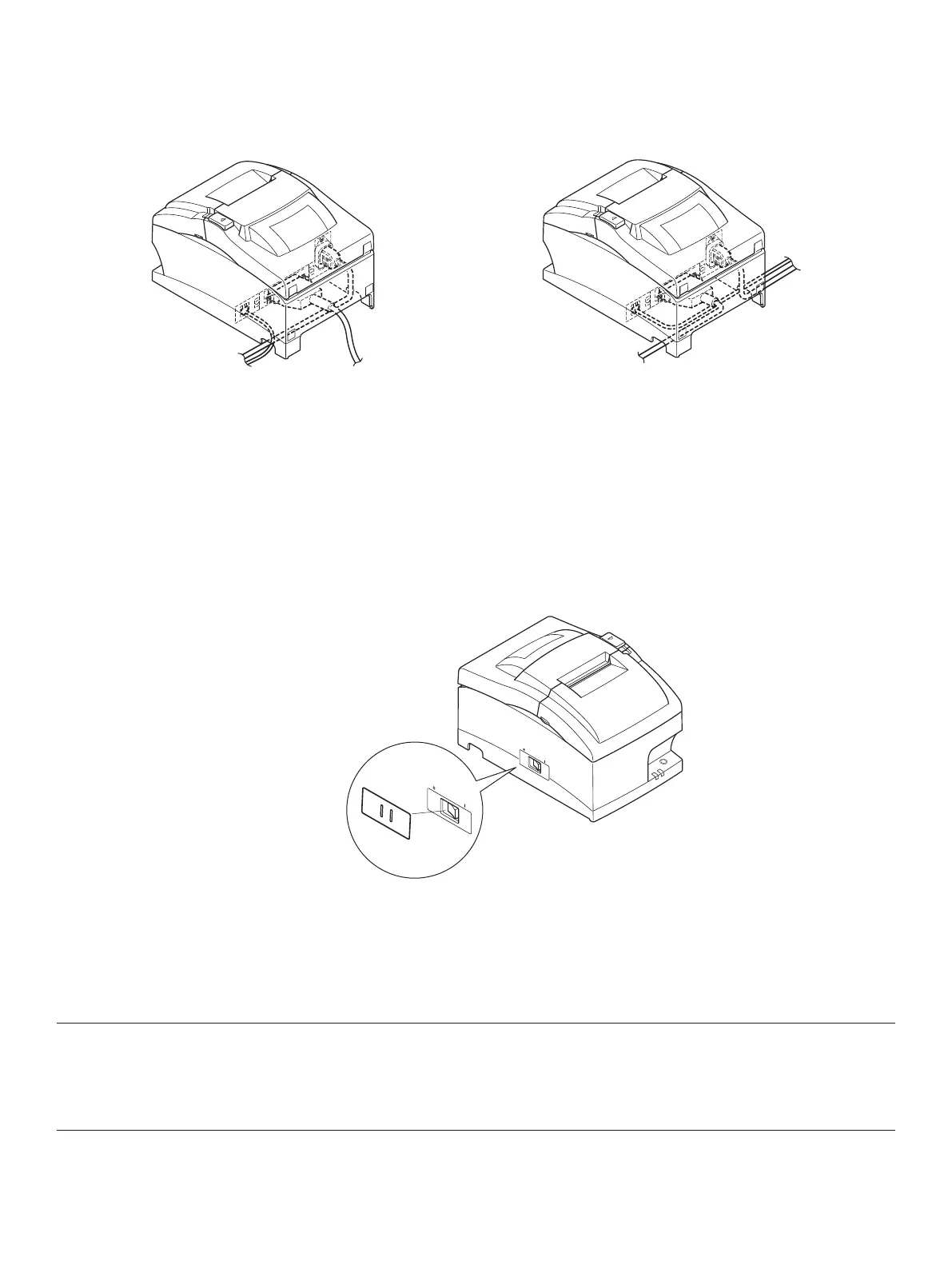
4-7. Installing the Cable
Install the cable as shown in the diagram below.
4-8. Switch Blind Installation
It is not necessary to install the switch blind. Only install it if it is necessary for you. By install-
ing the switch blind, the following become possible.
• Preventing the power switch from being operated by mistake.
• Ensuring that other people can not easily operate the power switch.
Install the switch blind as shown in the diagram below.
The power switch can be turned ON ( | ) and OFF (O) by inserting a narrow instrument (ball pen
etc) in the holes in the switch blind.
Important!
We recommend that you unplug the printer from the power outlet whenever you do not plan to
use it for long periods. Because of this, you should locate the printer so that the power outlet it
is plugged into is nearby and easy to access.



 To Next Page
 Loading...







