30
|
Troubleshooting guide 31
|
Troubleshooting guide
Symptom
Possible
causes
Solutions
Hearing aids
are not loud
enough.
Blocked microphone
or wax guard and
sound outlet.
1. Clean your
hearing aids.
2. Replace the
wax guards
as needed.
Buildup of debris.
Clean the
microphone, as
well as the wax
guard and sound
outlet with your
cleaning tool
brush.
Change in
your hearing.
Contact your
hearing care
professional.
Inconsistent
hearing aid
performance.
Blocked microphone
or wax guard and
sound outlet.
1. Clean your
hearing aids.
2. Replace the
wax guards
as needed.
A restart is needed.
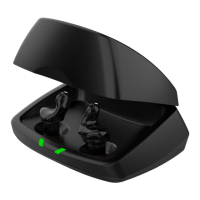
1. Place your
hearing aids in
the charger until
charging begins.
2. Remove when
charging begins.
This “power
cycles” your
hearing aids.
Troubleshooting guide
If, for any reason, your hearing aid does
not operate properly, do NOT attempt
to fix it yourself. Not only are you likely
to violate any applicable warranties or
insurance, you could easily cause further
damage.
Should your hearing aid fail or perform
poorly, check this troubleshooting
guide for possible solutions. If problems
continue, contact your hearing care
professional for advice and assistance.
Many common problems may be solved
in your hearing care professional’s office
or clinic.
Troubleshooting guide


 To Next Page