12
be sure that no part of the edge is raised to
ensure a watertight seal. Connect the Red
wire of the extension cable provided with
the 12V Positive of the vehicle battery and
the Black wire with an earth point on the
frame or, even better, directly with the
Negative of the battery.
passacavo in silicone il modo da assicurarsi
che non presenti parti rialzate sul bordo per
garantire la tenuta all’acqua. Collegare il filo
Rosso della prolunga fornita al Positivo 12V
della batteria del veicolo e il filo Nero ad un
punto di massa sul telaio o, meglio ancora,
direttamente al Negativo della batteria.
Updating the CORSARO firmware
The software installed inside CORSARO and
intended to manage all functionalities is
referred to as Firmware.
You can update the firmware when new
versions with additional implementations
and/or improvements are made available
by Starlane.
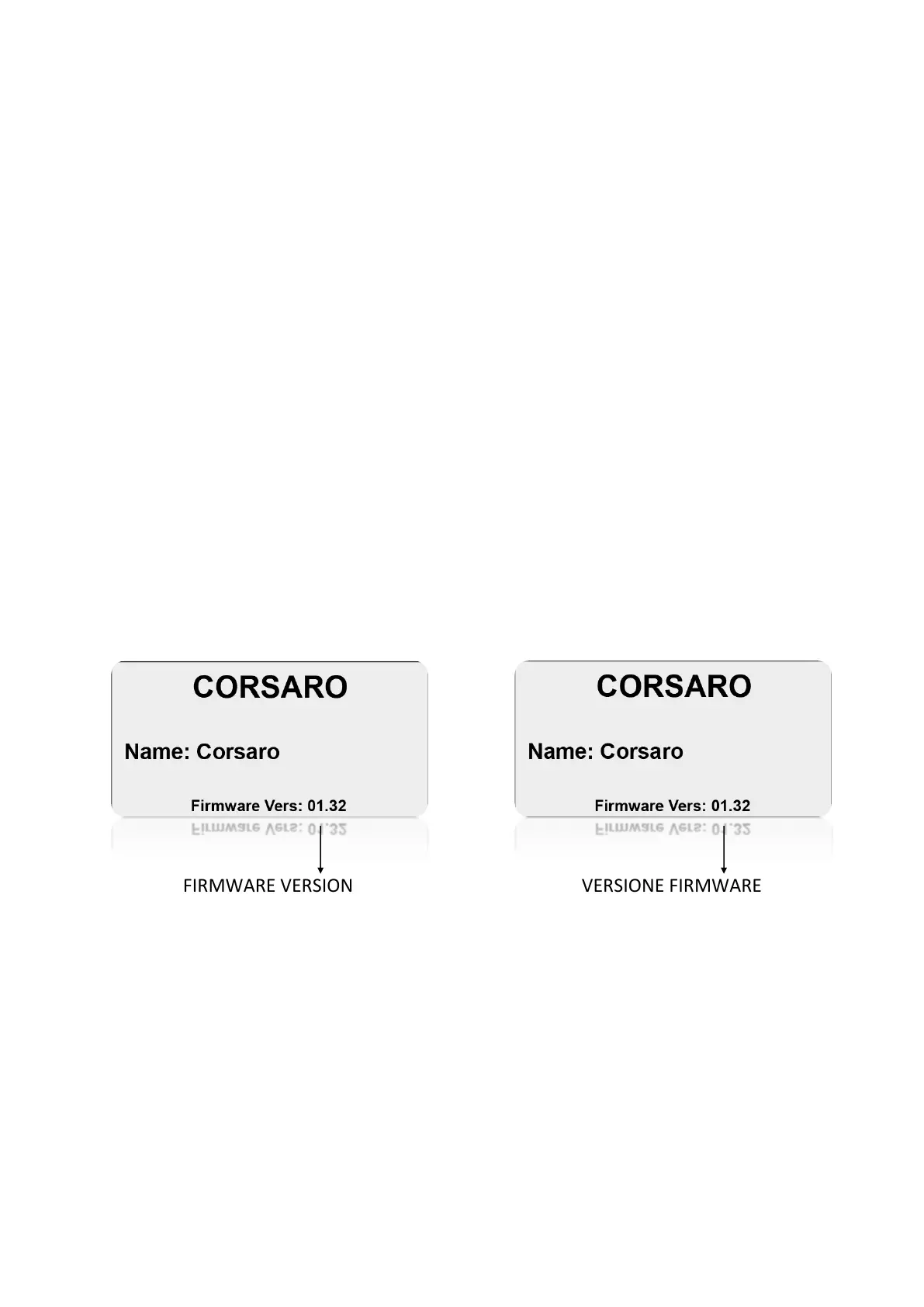
Checking the Firmware version installed
The Firmware version installed is displayed
on the right corner at the bottom of the ini-
tial screen of your CORSARO.
Aggiornamento del firmware di
CORSARO
Il software installato all’interno di CORSARO
e che ne gestisce tutte le funzionalità ha il
nome di Firmware.
È possibile aggiornare il Firmware quando
ne siano rese disponibili da Starlane nuove
versioni con implementazioni aggiuntive e/o
migliorie.
Verifica della versione di Firmware
installata
Nell’angolo in basso a destra della scherma-
ta di avvio del vostro CORSARO è indicata la
versione di Firmware installata.
You can check the exact model, the
software version (Firmware) and the serial
number by accessing the System Info
screen.
È possibile verificare l’esatto modello,
versione di software (Firmware) e numero
di serie accedendo alla schermata
System Info.


 To Next Page