27
Minimum and Maximum values of the
session
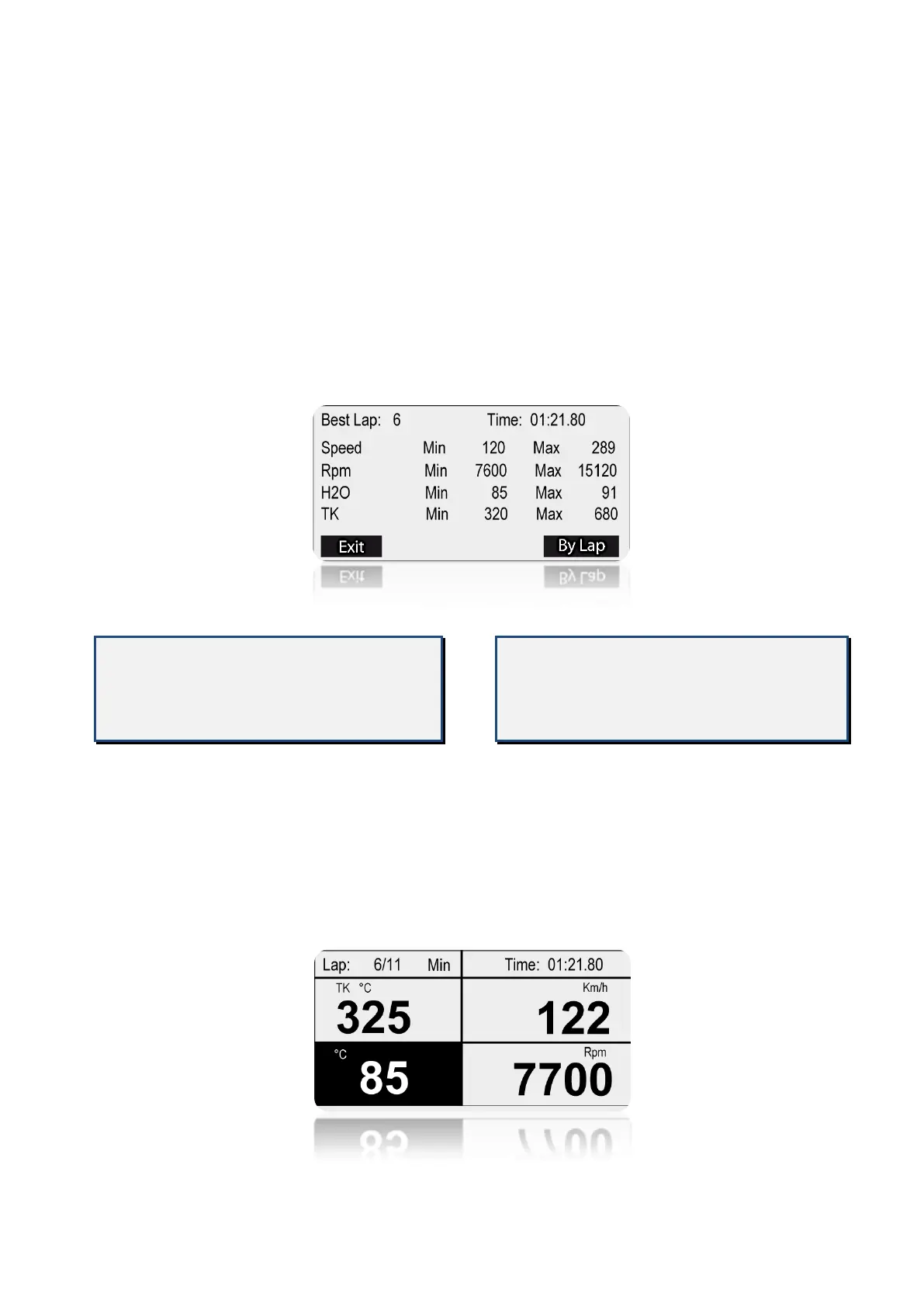
CORSARO shows on the display a report
with the peaks of the minimum and maxi-
mum values of the following channels:
RPM, Speed, Water Temperature and
Exhaust Gas Temperature.
To view the report: unlock the screen and
select the PEAKS button, the report of the
minimum and maximum values of the last
session acquired will be displayed.
Valori Minimi e Massimi della sessione
CORSARO consente di visualizzare diretta-
mente sul display un report con i picchi dei
valori minimi e massimi dei canali di: RPM,
Velocità, Temperatura Acqua e
Temperatura Gas di Scarico.
Per visualizzare il report: sbloccare il touch
screen e selezionare il bottone PICCHI,
comparirà una schermata di riassunto dei
valori minimi e massimi dell’ultima sessione
acquisita.
If a minimum or maximum value is
detected during a stage of track
entrance or exit, it will be marked with
the label Entry or Exit flashing.
Further pressing the BY LAP button will
scroll the minimum and maximum values of
each lap. To view the various laps simply
drag your finger horizontally on the screen
to move to the next lap or return to the
previous.
Se un valore minimo o massimo è stato
rilevato durante il giro d’ingresso in pista
o di uscita, sarà segnalato con la scritta
Entry o Exit lampeggiante.
Premendo ulteriormente il bottone PER
OGNI GIRO si potranno scorrere i valori mi-
nimi e massimi di ogni giro. Per visualizzare i
vari giri è sufficiente trascinare il dito oriz-
zontalmente sul display per passare al giro
successivo o tornare al precedente.


 To Next Page