EasyManua.ls Logo

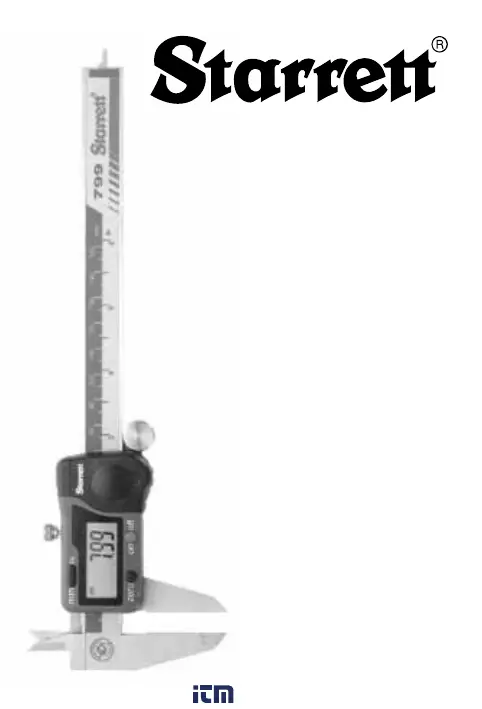
Starrett 799A Series - User Manual

Starrett 799A Series
10 pages
Print Icon
To Next Page IconTo Next Page
Loading...
1
www. .com
information@itm.com1.800.561.8187

Other manuals for Starrett 799A Series

Questions and Answers

  • T
    Theresa WileyJul 28, 2025
    What to do if there is no display on LCD Starrett Measuring Instruments?
    • J
      John ThompsonJul 28, 2025
      If the LCD on your Starrett Measuring Instruments isn't displaying anything, there are a couple of things you can check. First, the battery might not be making good contact, so remove the battery cover and reseat the battery to ensure it's properly connected. Second, the battery might be low, in which case you should replace it.
  • J
    jamespowellAug 4, 2025
    How to fix five digits flashing on Starrett Measuring Instruments?
    • S
      sarahicksAug 4, 2025
      If your Starrett Measuring Instruments are showing five digits flashing simultaneously about once per second, it probably means the battery is low. Try replacing the battery.
  • M
    Michelle NguyenAug 12, 2025
    What to do if display does not change when the slide is moved on Starrett 799A?
    • J
      Jesus StewartAug 12, 2025
      If the display on your Starrett Measuring Instruments isn't changing when you move the slide, it could be due to a problem with the electronic circuitry. To resolve this, remove the battery and reinstall it after waiting for 30 seconds.
  • D
    Dustin WilliamsAug 19, 2025
    Why are Starrett 799A less accurate than specified?
    • T
      Terry FoxSep 12, 2025
      If your Starrett Measuring Instruments are less accurate than specified or you suspect an electronic system failure, it might be due to contamination on the sensor. Try cleaning the scale. If the problem continues after cleaning, further assistance is needed.

Summary

Digital Caliper Components

External Measurement Jaws

Jaws used for measuring outside dimensions of an object.

Internal Measurement Jaws

Jaws used for measuring inside dimensions of an object.

Product Specifications and Features

Resolution and Accuracy

Specifies the precision of measurements and the closeness of agreement.

Safety and Usage Precautions

Operational Safety Guidelines

Warnings against measuring rotating parts or applying external voltage.

Calibrating and Operating the Caliper

Measurement Procedures

Guides on performing external, internal, and depth measurements.

Advanced Measurement Techniques

Instructions for scribing, comparison, center-to-center, and wall thickness measurements.

Battery Installation and Troubleshooting

Common Troubleshooting Scenarios

Solutions for display issues, accuracy problems, and battery indicators.

Starrett 799A Series Specifications

General IconGeneral
Series799A
Range (Dial Indicator)0-1 inch (0-25.4 mm)
Resolution0.0005"/0.01mm
Accuracy±0.001 inch (±0.02 mm)
Repeatability0.0005"/0.01mm
Graduations0.001 inch (0.02 mm)

Related product manuals