Instruction manual
4
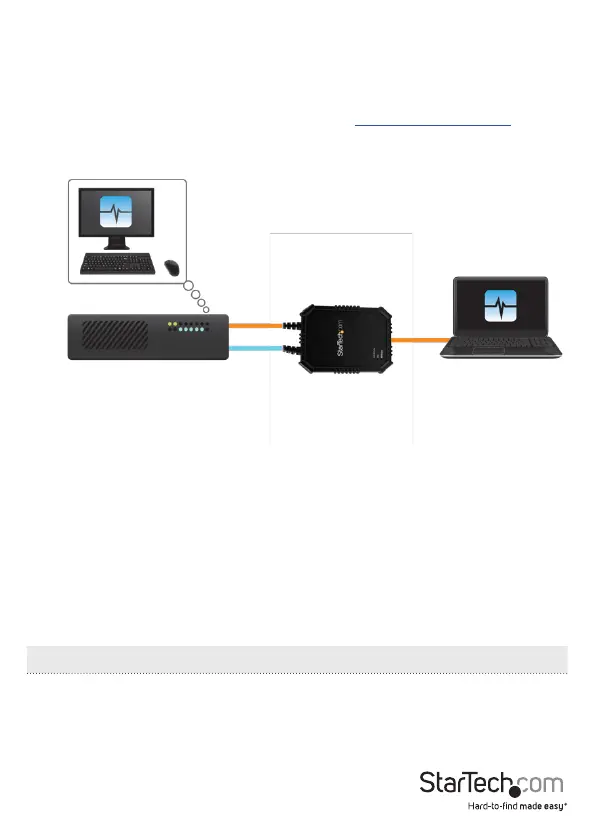
Connect the crash cart adapter
After you install the drivers and software for the crash cart adapter onto the laptop,
you can plug the adapter into the server.
• Connect the attached VGA cable and the USB type A to mini-B cable into the desired
server. For DVI-I (analog) computer systems, use a DVI to VGA cable adapter (for
example, StarTech.com ID DVIVGAMF).
About the LED indicators
If none of the LED indicators are illuminated, it means that the USB crash cart adapter
isn’t receiving power from either of the USB connections. When the USB crash cart
adapter is being operated in normal conditions, either one of the USB ports can
provide enough power to operate the crash cart adapter.
Note: The USB keyboard and mouse emulation is always active, even if the laptop USB
is disconnected.
Server keyboard and mouse LED
LED behavior Scenario
Solid light The emulated USB keyboard and mouse are working
as expected.












 To Next Page