30 Stat Fax 303 Plus Operator’s Manual Rev. J
Awareness Technology, Inc.
2.2.6 Point-to-Point Mode
Press the MULT key and answer NO to the display “Regression Y/N”. The next display is “Pt
to Pt Y/N”. Press YES to select the point-to-point mode.
The Point-to-Point Mode is a multi-point calibrator mode that allows the operator to enter several
different calibrator concentrations. These are used to calculate the concentrations of unknown
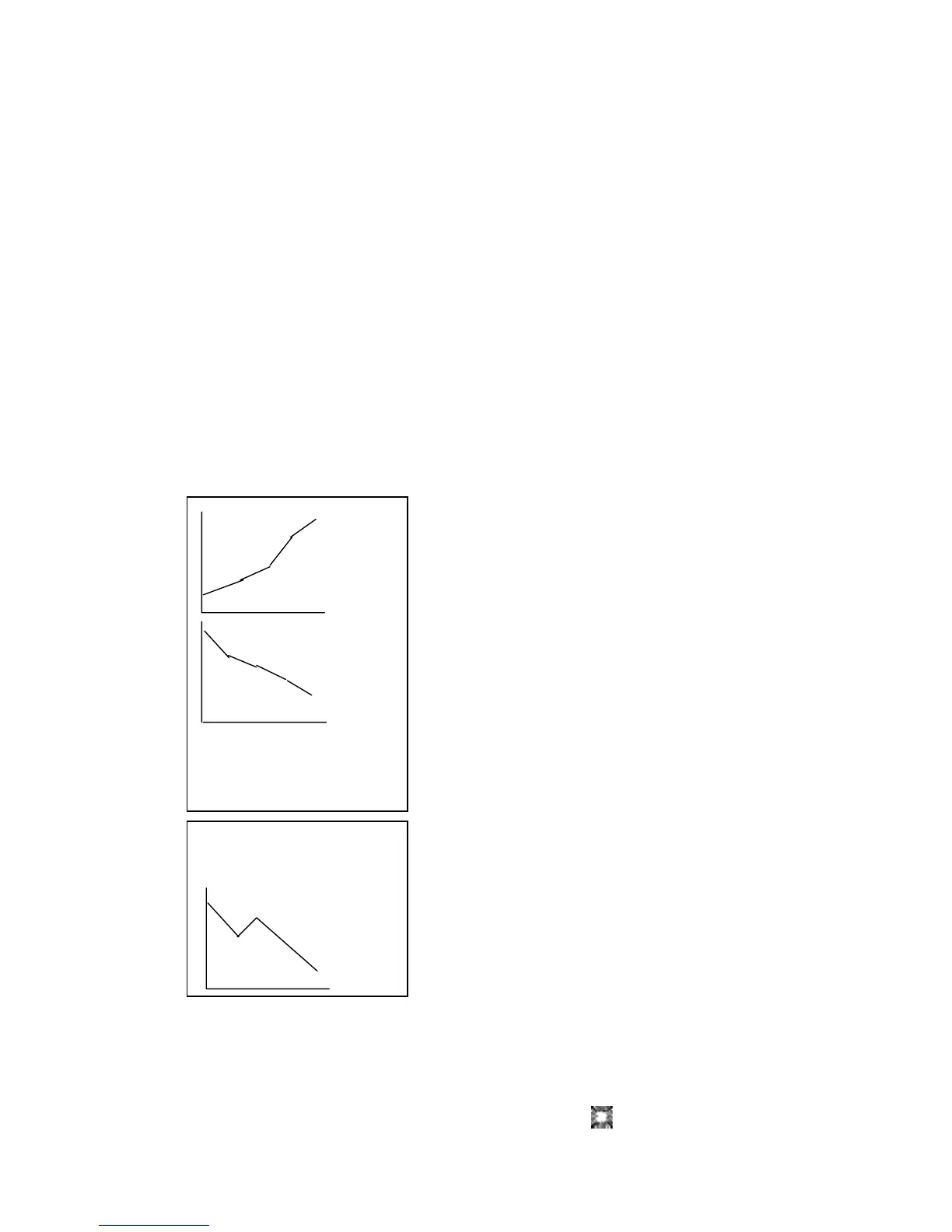
samples according to Beer’s Law. The resulting calibrator curve is a series of line segments
connecting the calibrator points. If you wish to use the point (0,0), you must include it as a
calibrator.
Unknown samples are calculated as follows:
First, the unknown sample’s bichromatic differential absorbance is calculated and compared to
the calibrator absorbances. Then, the line segment used for determining the concentration of the
unknown is the one connecting the pair of standards whose absorbances are closest above and
below the unknown absorbance. An unknown sample whose absorbance is greater than the
greatest calibrator absorbance is calculated on the line passing through the greatest 2 calibrator
points. Likewise, an unknown sample whose absorbance is less than the lowest calibrator
absorbance is calculated on the line passing through the lowest 2 calibrator points.
The calibrators’ absorbances must be either decreasing or
increasing down the strip; i.e., if the first calibrator is the
darkest, the second must be the next darkest, etc., and if the
first calibrator is the lightest, the second must be the next
lightest, etc.
After filter, blank, and duplicates selections, the display
prompts for the number of standards to be used by displaying
“# of Cals = ”. The number of standards must be less than or
equal to eight (seven with a blank). The display then prompts
for unit selection.
The display will then prompt you to enter the calibrator values.
As you enter the values, the printer will print:
“CAL 1= XXXX”
“CAL 2= XXXX”
“CAL 3= XXXX”.....
where XXXX represents the calibrator values you entered.
Note that the instrument allows calibrator values up to 999999,
and calibrators less than 1000 can have up to two places after
the decimal point. Decimal places for the reported
concentrations will be the same as those selected for
calibrator 1.
After all the calibrator values have been entered, the display
will prompt “Off Curve Ok Y/N”. Press YES if all samples are
valid. Press NO to flag all samples having absorbance values
higher than the highest calibrator or lower than the lowest calibrator. Note that the “Off Curve”
flagging feature requires that the calibrators be entered and read from lowest concentration for
calibrator #1 to highest concentration for the final calibrator.
acceptable curves


 To Next Page