21
2.4. Cleaning
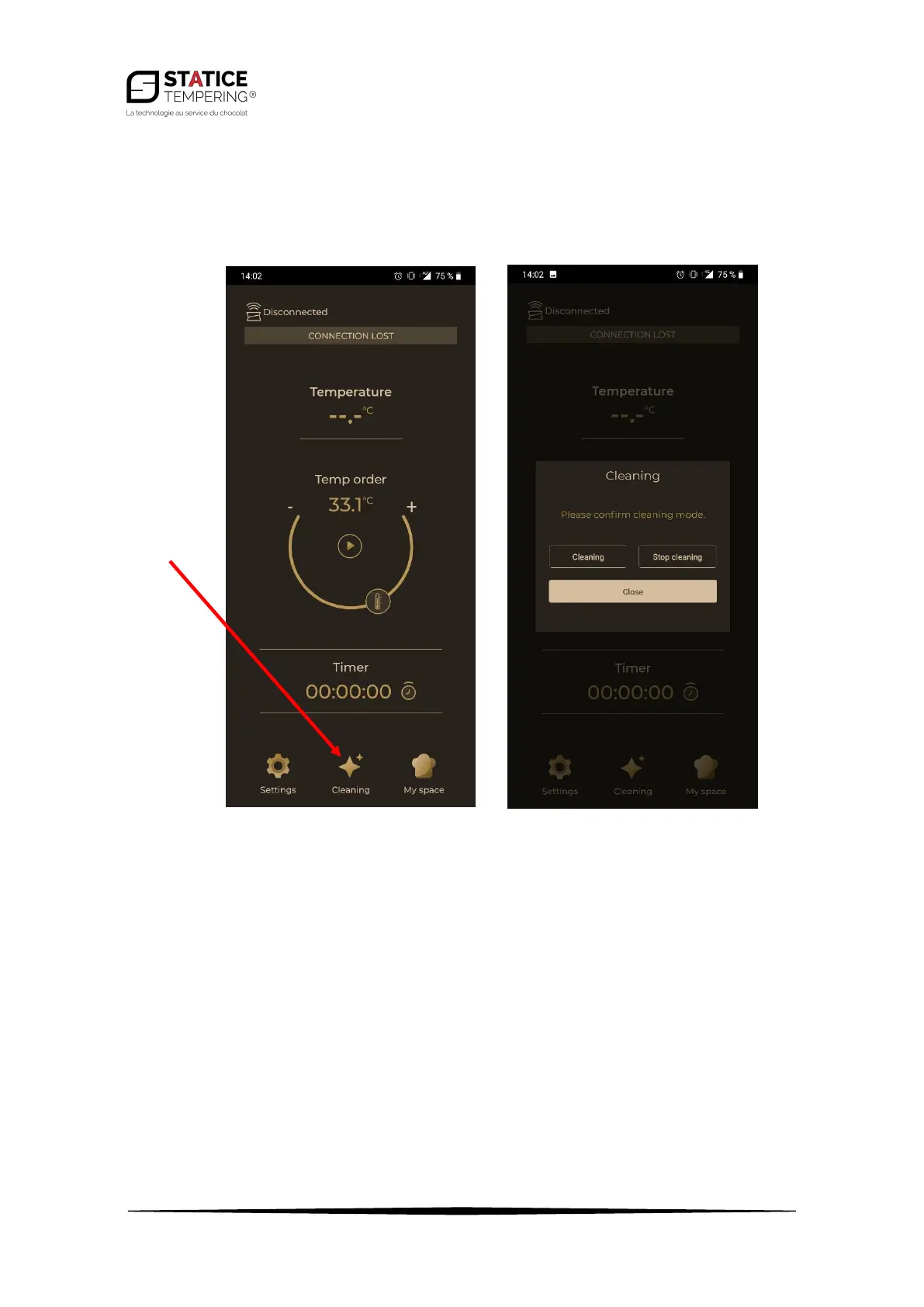
• Cleaning mode: The Magic Temper® has a specific cleaning mode. You can enable this mode
from the app. To do so, once on the main page, press on the « Cleaning » button then on
« Cleaning » again on the opening window.
• Once the cleaning mode is on, the button turns red and the Magic Temper ® heats up to 45°C
(the time depends on the amount of cocoa butter left in the tank).
• Once everything has melted and looks oily, you can clean the tank more effectively by
emptying its contents.
• Once emptied, you can stop the cleaning mode by pressing « cleaning » then « stop » in the
opening window.


 To Next Page