ENGLISH
|
7
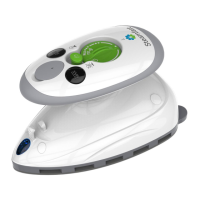
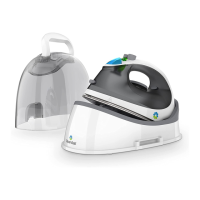
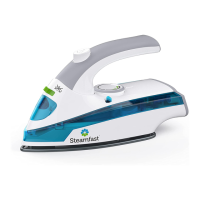
1. The Ironing Plate is the heated, non-stick surface that is used to press
fabrics, remove wrinkles and create creases.
2. The Main Body contains the unit’s internal heating components
3. The Heating Indicator Light illuminates when the Ironing Plate is
heating. It will turn off when the set temperature is reached.
4. The Water Tank Cap covers the Water Tank ll hole. The Cap will
“click” when completely shut.
5. The Water Tank View Window lets you monitor the level of water in
the Water Tank. The unit must be sitting upright to correctly read the
water level.
6. The Water Tank is designed to hold a maximum of 1.00oz (29.5mL) of
water.
7. The Continuous Steam Switch controls the unit’s continuous steam
feature. When Switch is in the position, continuous steam is
inactivated. When Switch is in the position, continuous steam is
activated
8. The Temperature Control Dial is turned to select the various Ironing
Plate heat settings based on your fabric and to turn the unit OFF.
9. Press and release the Steam Burst Button to release a powerful, quick
burst of steam
10. The Handle is designed for easy control and navigation of the unit
11. The Handle Collapse Lever is a nice space-saving feature when
storing your unit.
12. The Fill Cup is designed to help you easily and consistently ll the
Water Tank. Note: lling water to MAX line on the Fill Cup will
overow the Water Tank.


 To Next Page