EF315_r5.1(v12.22) – 03/2023 page 7
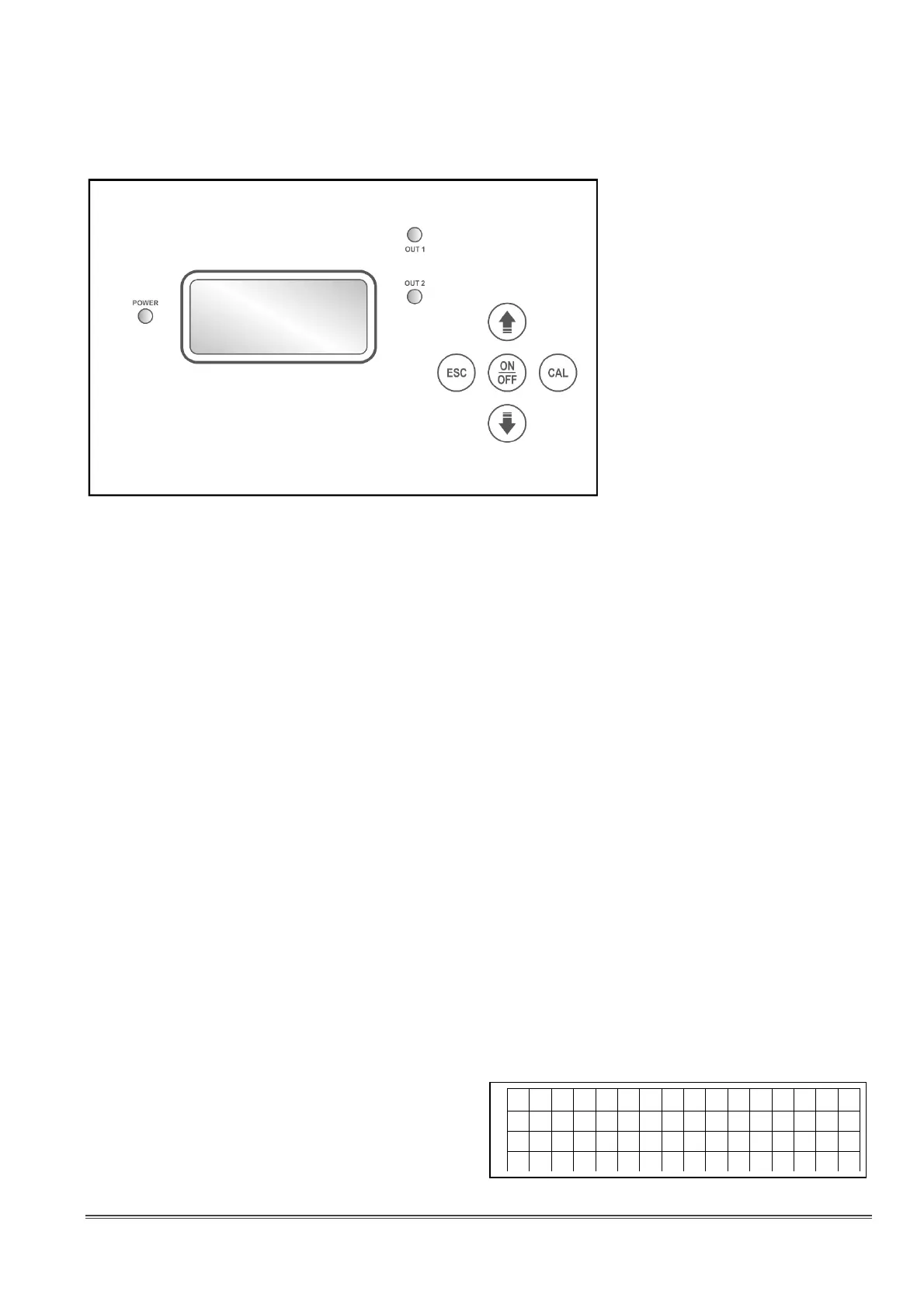
DESCRIPTION OF THE FRONT PANEL
CAL Key Allow to access a circular menu for system calibration and configuration, with
options scrollable using the arrow keys:
- Calibration Measure 1 (pH)
- Calibration Measure 2 (chlorine)
- Calibration Measure 3 (temperature)
- Standard Configuration
- Advanced Configuration
- Output Test
(Note: Please see specific sections for further details)
Key Increase the displayed item in calibration and/or configuration mode
Key Decrease the displayed item in calibration and/or configuration mode
ESC Key Ignore the modification of the displayed item in calibration and/or configuration
mode, or quit the parameter configuration
ON/OFF Key Enable / disable outputs
LED POWER This LED flashes differently, depending on the configuration and status of the
pump; see the meaning of related parameter in the “Configuration” section
LED OUT1, OUT2 Light ON to indicate the status of the related output (LED ON = peristaltic pump
working or pulse to the pump magnet).
If not otherwise indicated, OUT1 refers to the pH output and OUT2 to the chlorine
output
DISPLAY VISUALIZATIONS
Normally the display shows measurements, status of the two main outputs, volume of liquid injected by
each output, and temperature value detected by a
PT100 sensor or set manually (shown within
brackets).
The side drawing shows a typical screen:



 To Next Page