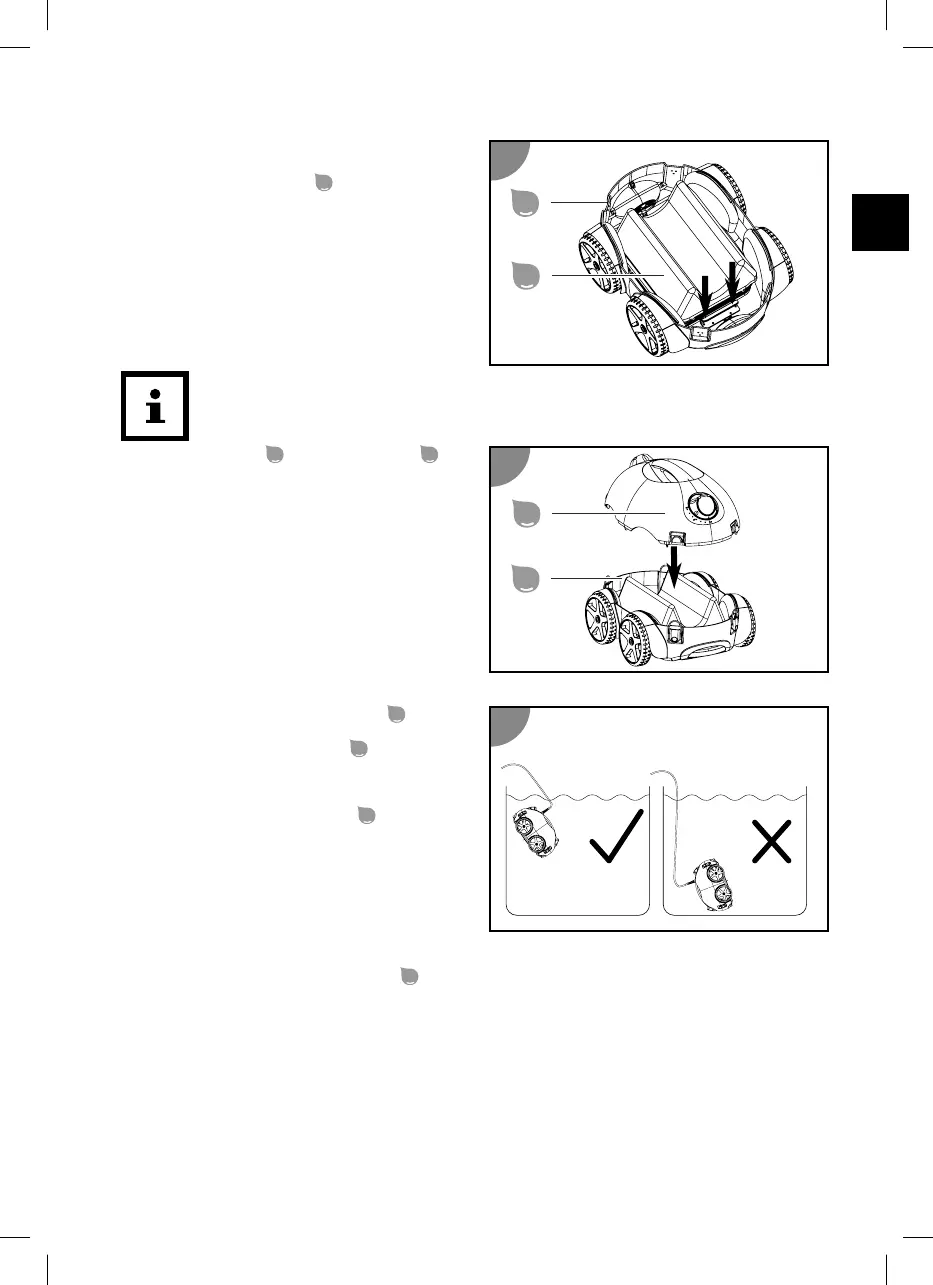
2. Press and hold the snap lock on one side to
open it.
3. Press down the filter unit
and let go of the
snap lock.
4. Repeat the last two steps on the opposite side.
The snap locks must fix the filter unit in place on both sides in the bottom part.
5. Place the top part
on the bottom part
.
6. Close all snap locks.
The filter unit is inserted.
Placing the device in the pool
1. Completely unroll the floating cable
and
place it next to the pool without twisting.
2. Hold the device by the handle
and lower it
slowly into the water (tipped slightly forward)
until all the air has escaped.
3. Let the device sink to the bottom while you
slowly feed more floating cable
to lower
the device in a controlled manner.
Make sure that the device lands on the
bottom of the pool on its underside and that
cleaning can start without obstruction
towards the center of the pool.
The device is in the pool.
Connecting the control unit
1. Only let as much of the floating cable
into the water so that the device can reach all the spots in
the pool.
29



 To Next Page
 Loading...