CI2 and Cubase AI5 - Product Guide 22 of 31 Steinberg Media Technologies GmbH – July 2009
8.2 Creative composing and sequencing
Intuitive music notation and professional MIDI
sequencing has never been easier
Cubase AI 5 includes the most intuitive MIDI sequencer
available. Based on 25 years of experience in developing
easy-to-use editing and powerful composing features,
Cubase AI offers a complete MIDI composing and audio
sequencing toolset. Steinberg’s development philosophy is
constantly focused on the creativity of musicians and
composers, resulting in a MIDI environment that is not only
technologically advanced but highly intuitive and instantly
accessible for anyone. Steinberg has pioneered many
aspects of MIDI sequencing on a computer, and tools such
as the Key, Score, Drum and List Editors have become
indispensable to modern music production.
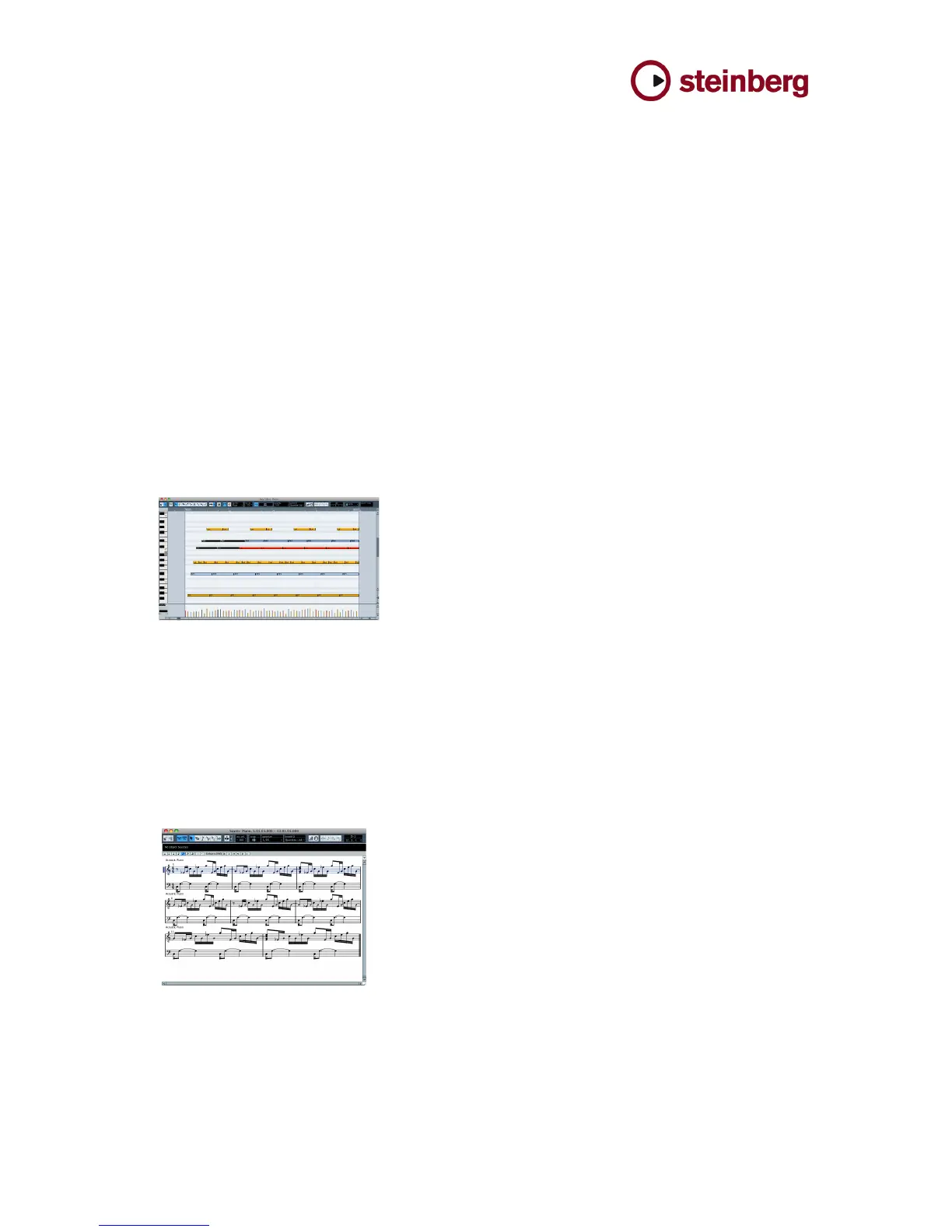
Key Editor
At the heart of MIDI sequencing in Cubase is the Key Editor,
which offers a practically peerless functional wealth of MIDI
tools that open up almost limitless possibilities for songwriters
and composers. The Key Editor is a breathtakingly powerful
yet transparent where melodies, chords, arrangements and
performances take shape, and where ideas are sketched out,
developed and taken to their full potential. Entering, cutting,
moving and transposing individual notes or whole chords,
editing any of the hundreds of MIDI parameters available or
reworking even the most subtle nuances of a MIDI
performance are just some of the tasks for which the Key
Editor has been developed and refined continuously by
Steinberg for over two decades. With the In-place Editing
function, you can also process MIDI parts directly in the
Project window in context with other tracks.
Cubase also offers other editors specifically engineered for
other MIDI-oriented musical tasks:
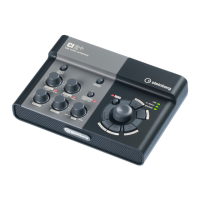
Score Editor
The Score Editor in Cubase AI 5 is a streamlined and
simplified, yet powerful notation environment derived from
bigger Cubase versions. Completely integrated within
Cubase AI it lets the user view and edit music in the form of
scores. A few clicks are all it takes to adapt the view to show
recorded MIDI performances correctly and print them on
demand for others including soloists, orchestras and choirs.
Handy functions such as display quantization and
transposition make this task even easier.



 To Next Page